1. Set-up Start Approver Responsibilities
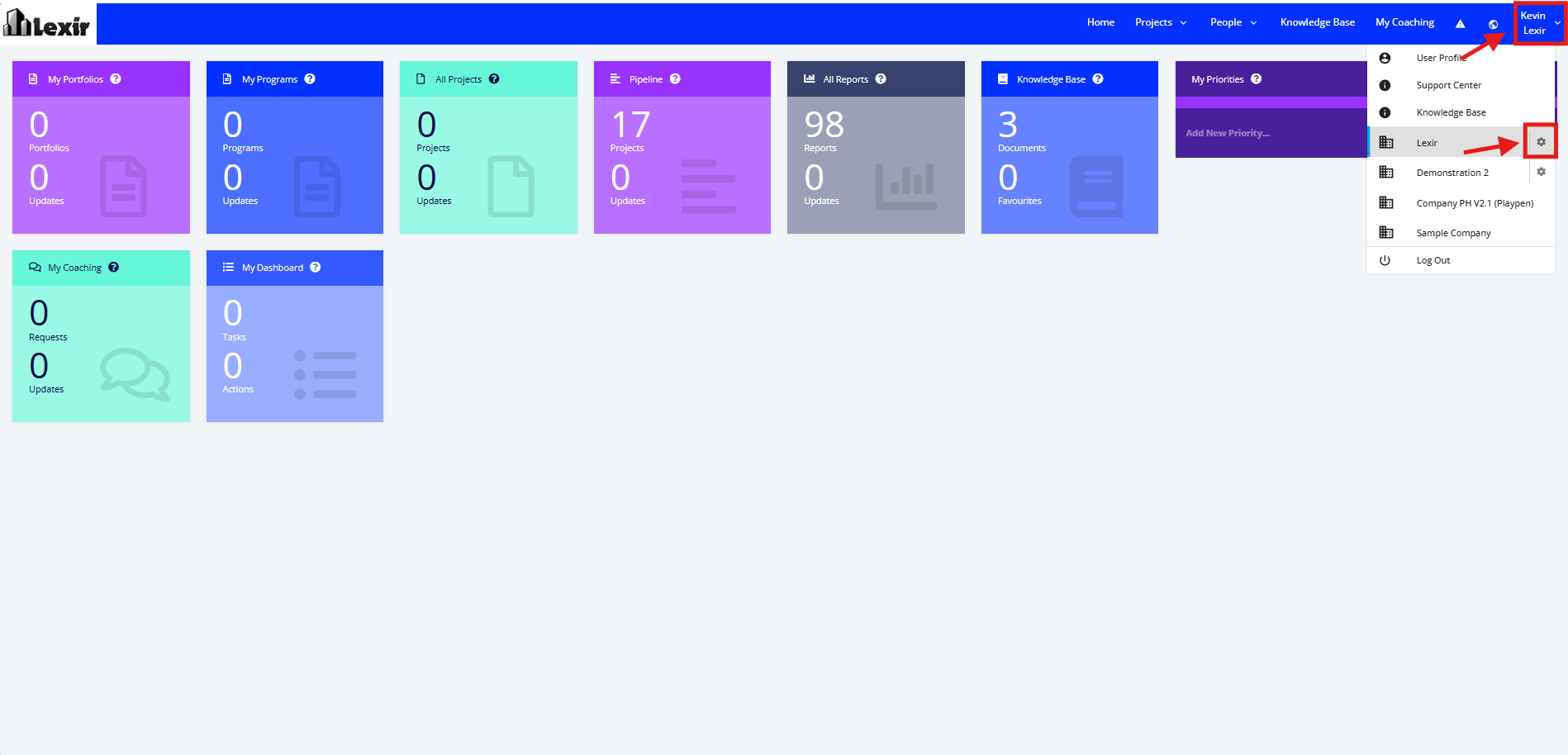
1. Go to the Top Navigation, hover over your ‘Company Name’ then click on the ‘Edit’ icon as shown below.
Once done, you will reach the Company Profile.
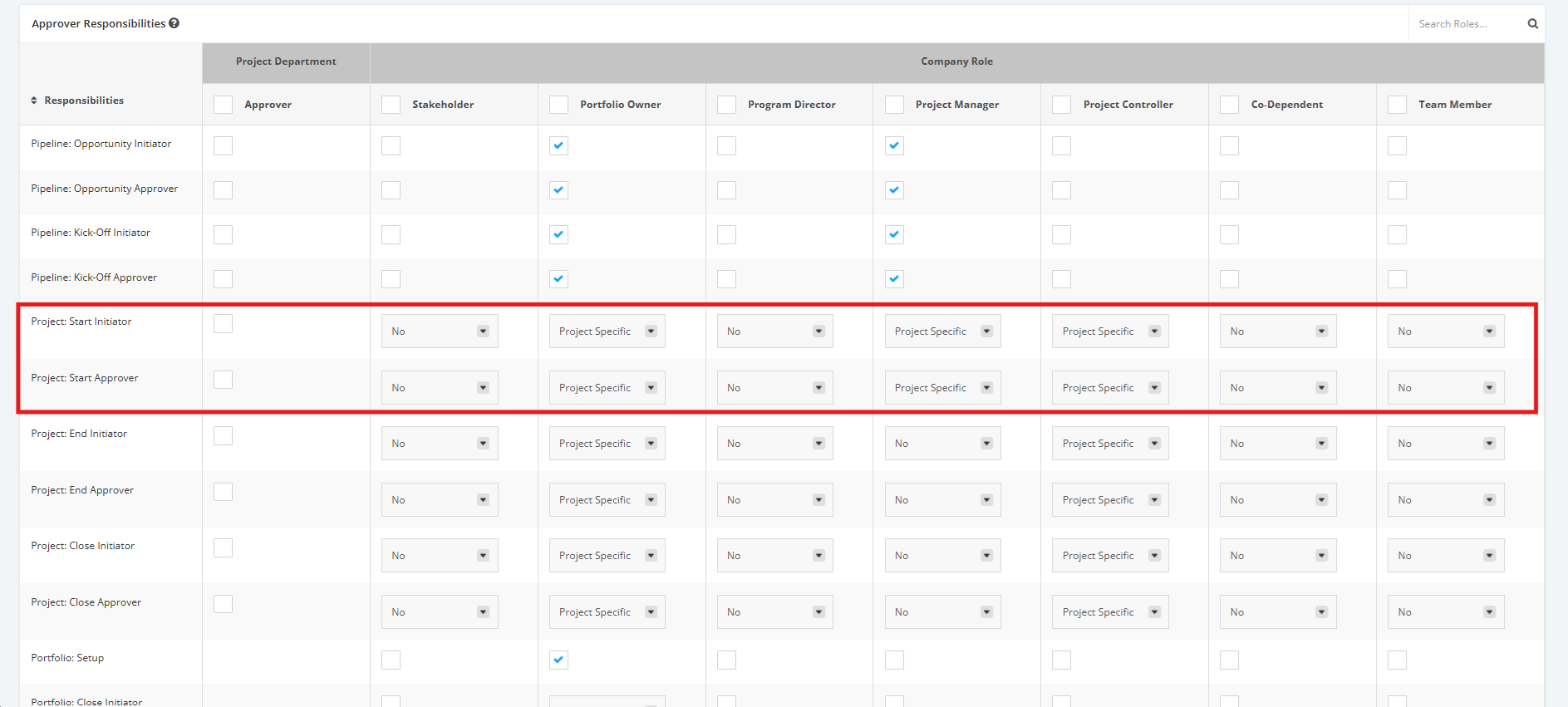
2. Navigate to the ‘Approver Responsibilities’ section then to the 'Project: Start' rows.
'Project: Start Initiator' - User in role can submit a Kick-Off (Full Kitting) Project for review.
'Project: Start Approver' - User in role can approve a Kick-Off (Full Kitting) Project.
Click the dropdown menu and then assign a User Role to their corresponding Approver level to Kick-Off (Full Kitting) projects.
- No - User doesn't have permission to submit any Kick-Off (Full Kitting) project to Live
- Company Level- User has permission to submit a project from Kick-Off (Full Kitting) to Live (given that it's only for projects user has permission to View/Update)
- Project Specific- User has permission to submit a project from Kick-Off (Full Kitting) to Live but only for those assigned to a specific role in Project Settings.
For Project Department Approvers:
- Tick the checkboxes to make a Role an Approver in the ‘Project: Start Approver’ row or the ‘Project: Start Initiator’ row.
- Untick the checkboxes to remove an Approver’s right from a Role.