1. Project Issue Module Approval
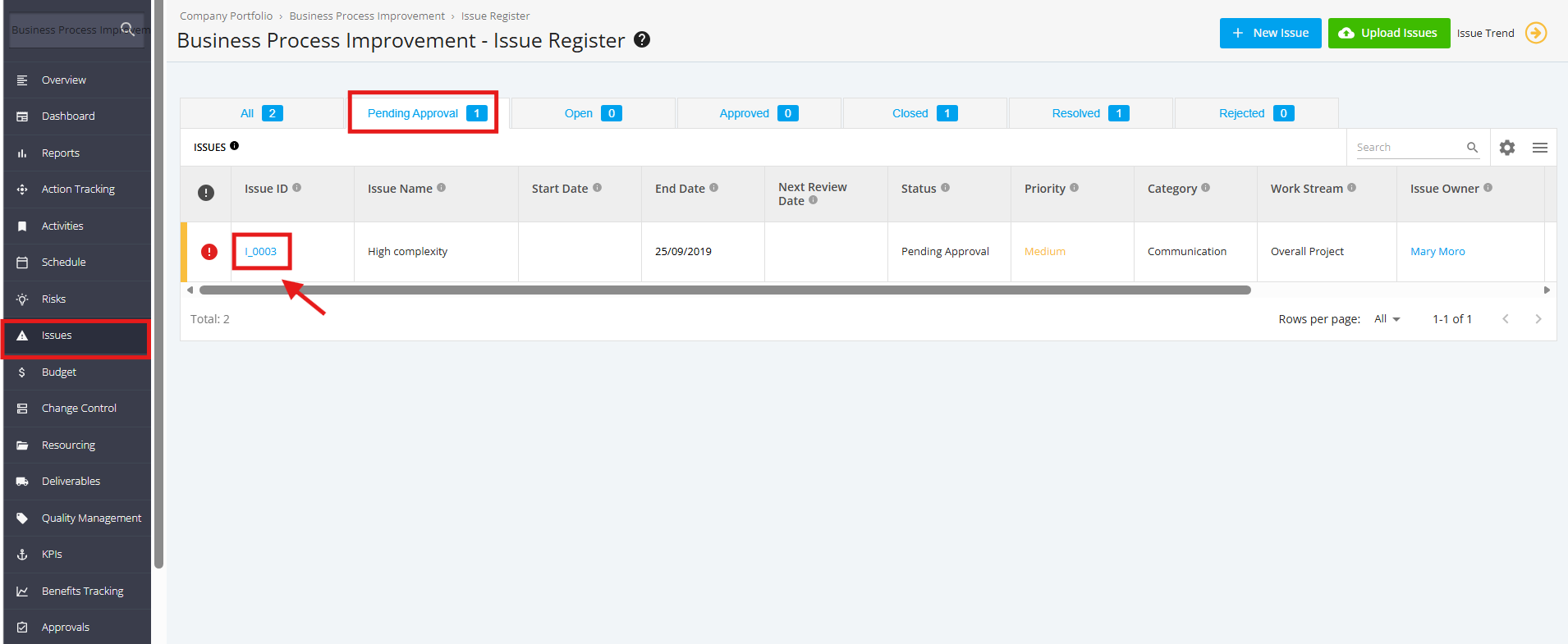
1. To view the Pending Project Issues for approval, click the ‘Issues’ tab from the left sidebar of the page. Once done, navigate to the ‘Pending Approval’ tab and click the ‘Issue ID’ to manage.
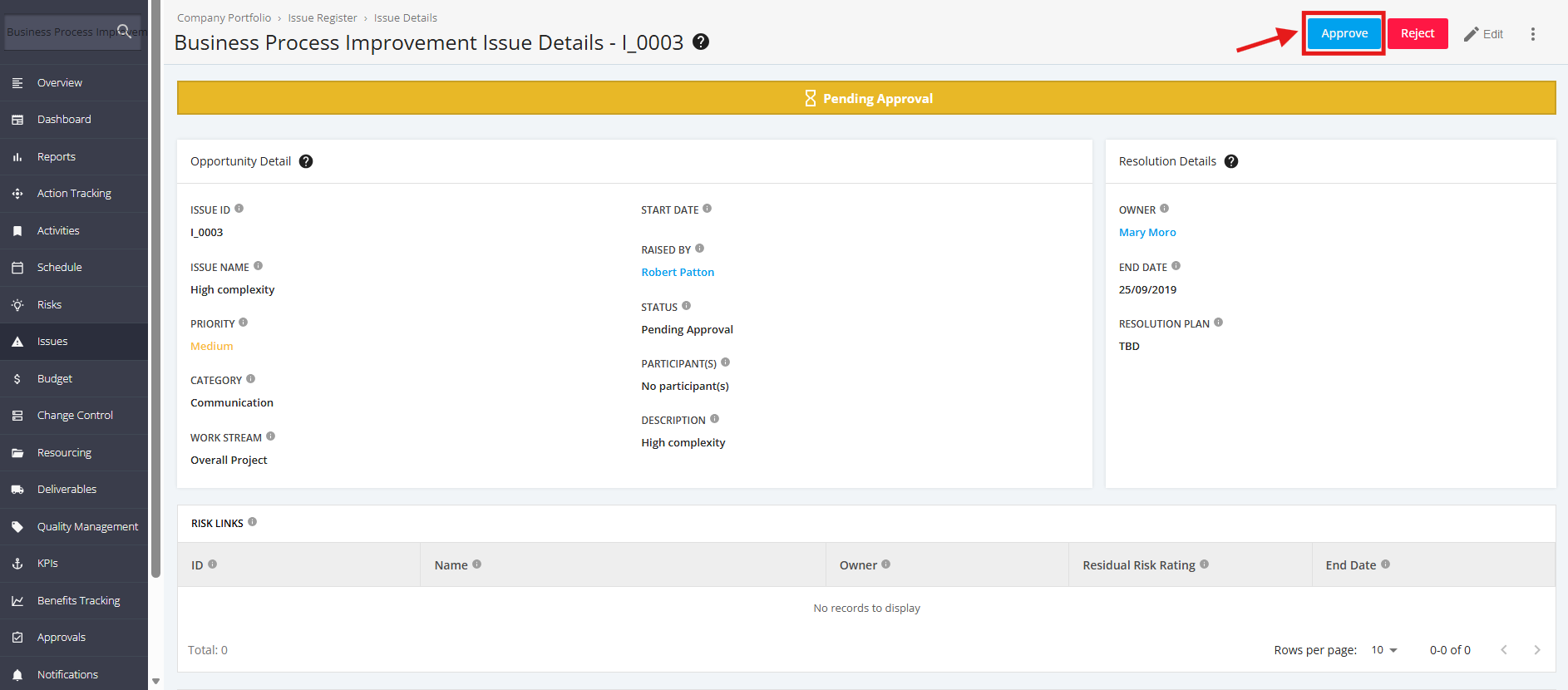
2. Within the ‘Issue Details’ page, click the ‘Approve’ button to approve Issue.
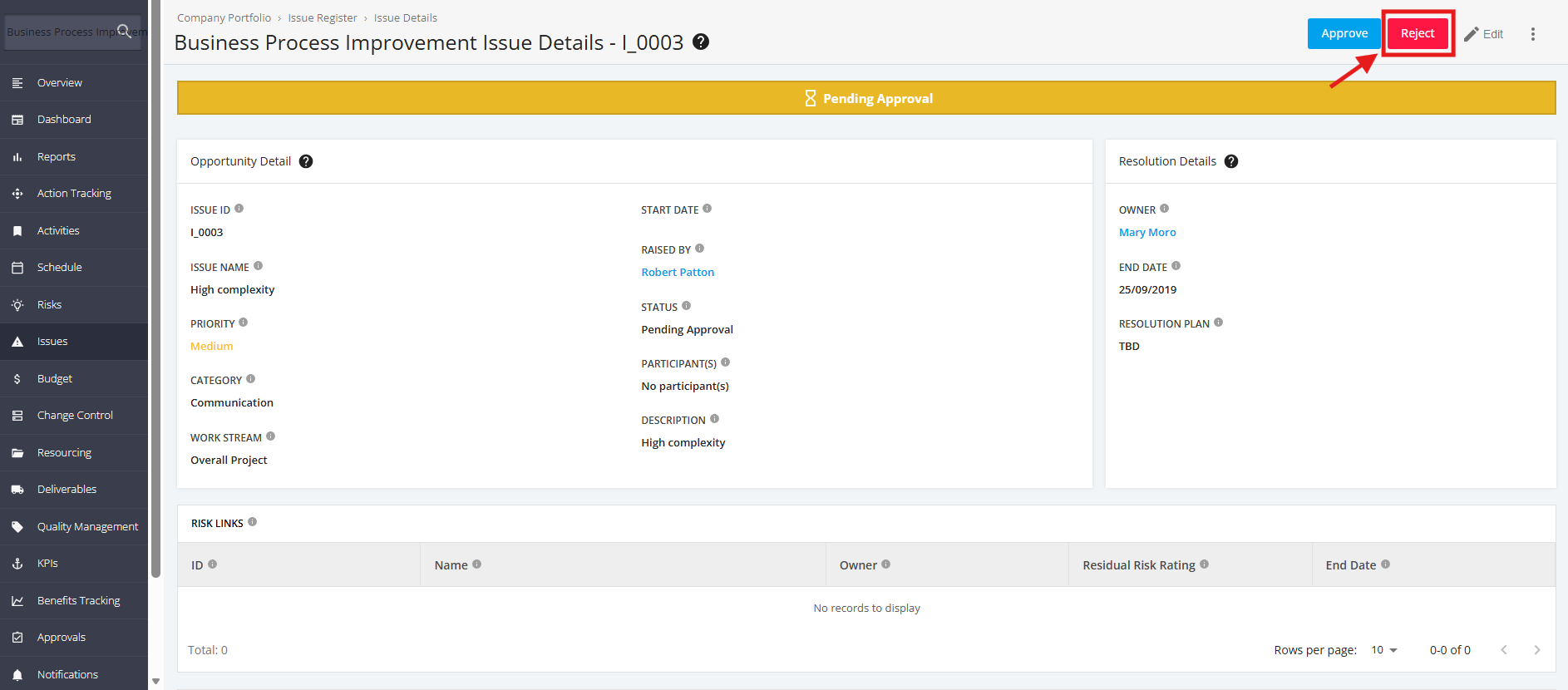
3. If you don’t want to Approve an issue, click the Reject’ button within the ‘Issue Details’ page.