1. Set-up Kick-Off Approver Responsibilities
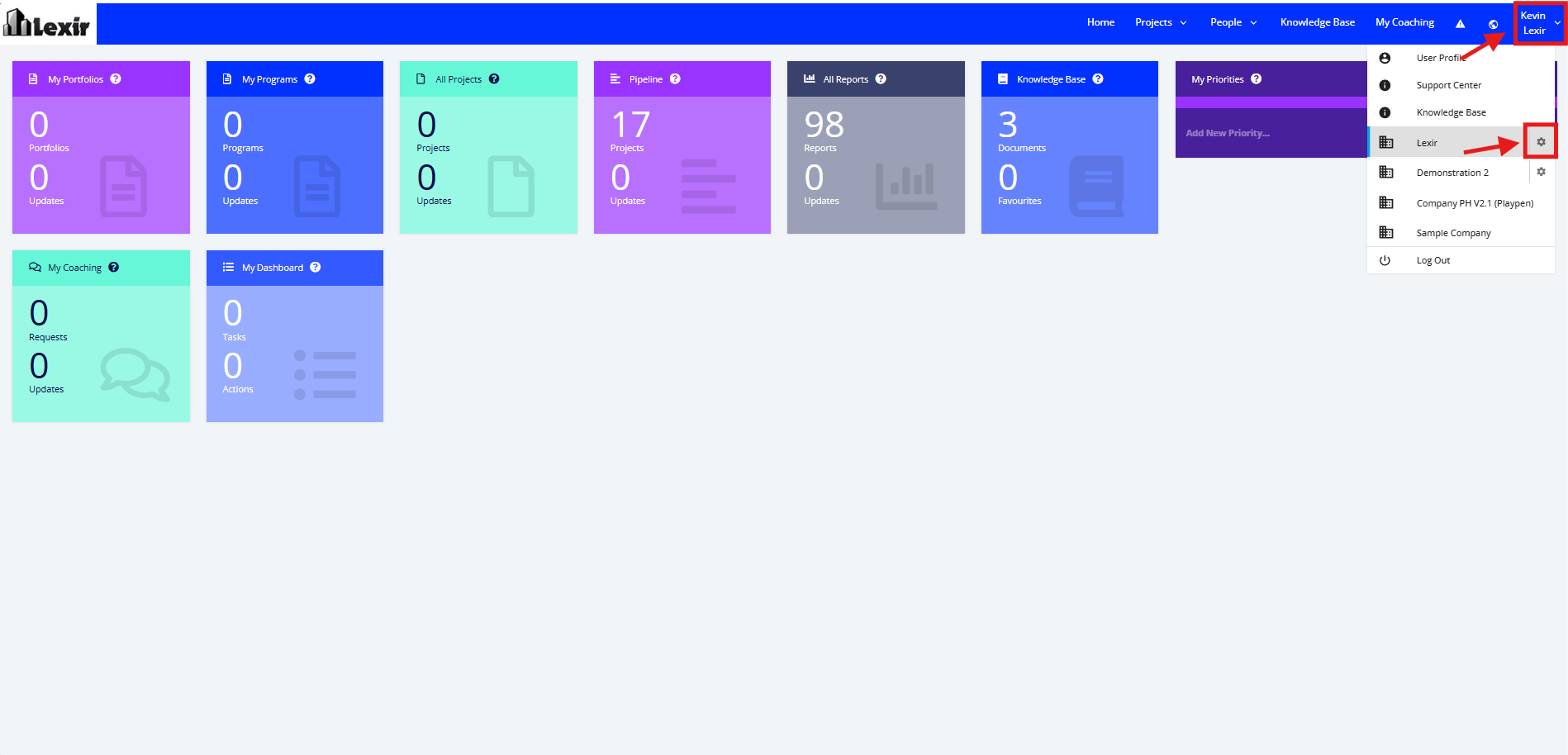
1. Go to the Top Navigation, hover over your ‘Company Name’ then click on the ‘Edit’ icon as shown below.
Once done, you will reach the Company Profile.
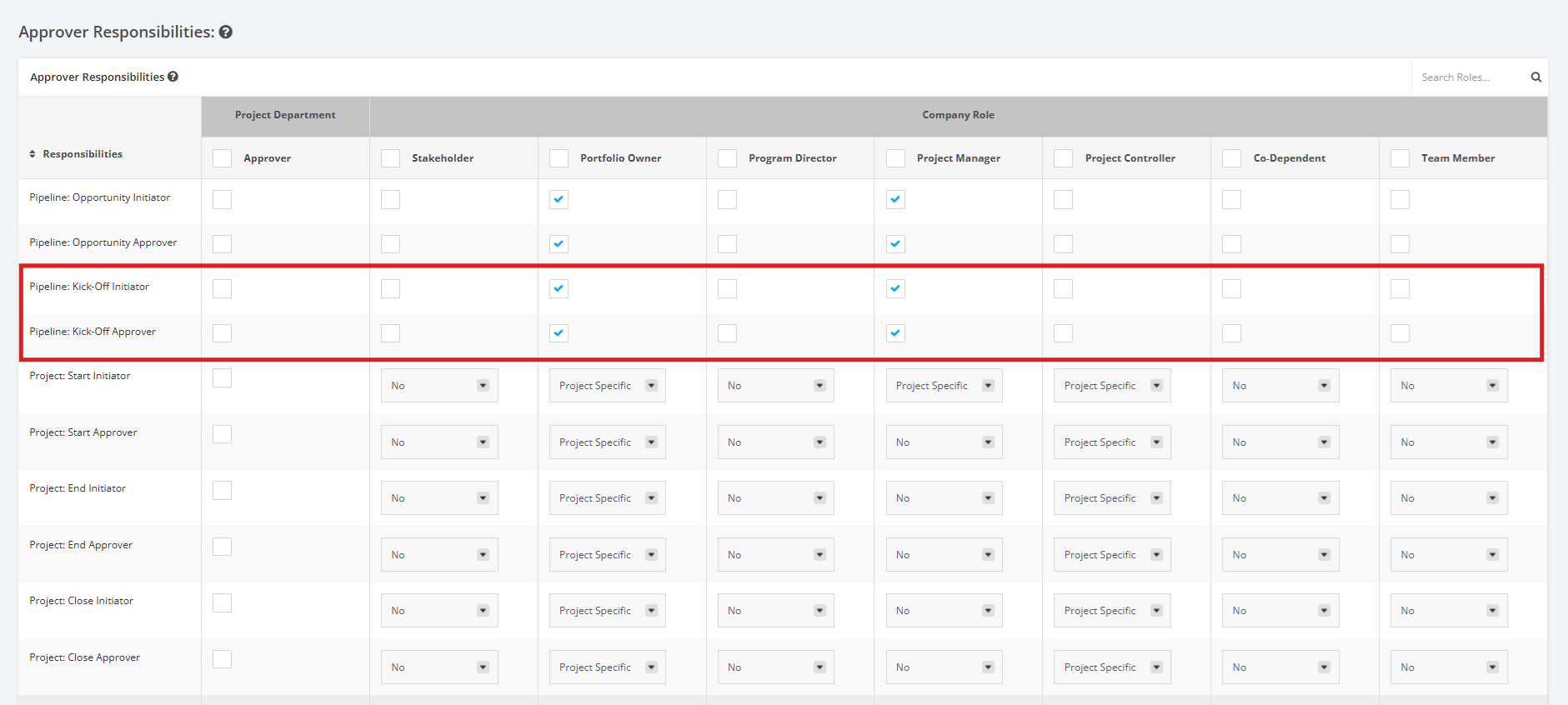
2. Navigate to the ‘Approver Responsibilities’ section then to the 'Pipeline: Kick-Off' rows.
'Pipeline: Kick-Off Initiator' - User in role can submit an Approved Opportunity Project for review.
'Pipeline: Kick-Off Approver' - User in role can approve Approved Opportunity Project.
- Tick the checkboxes to make a Role an Approver in the ‘Pipeline: Kick-Off Approver’ row or the ‘Pipeline: Kick-Off Initiator’ row.
- Untick the checkboxes to remove an Approver’s right from a Role.