1. How to Delete Resource Demand
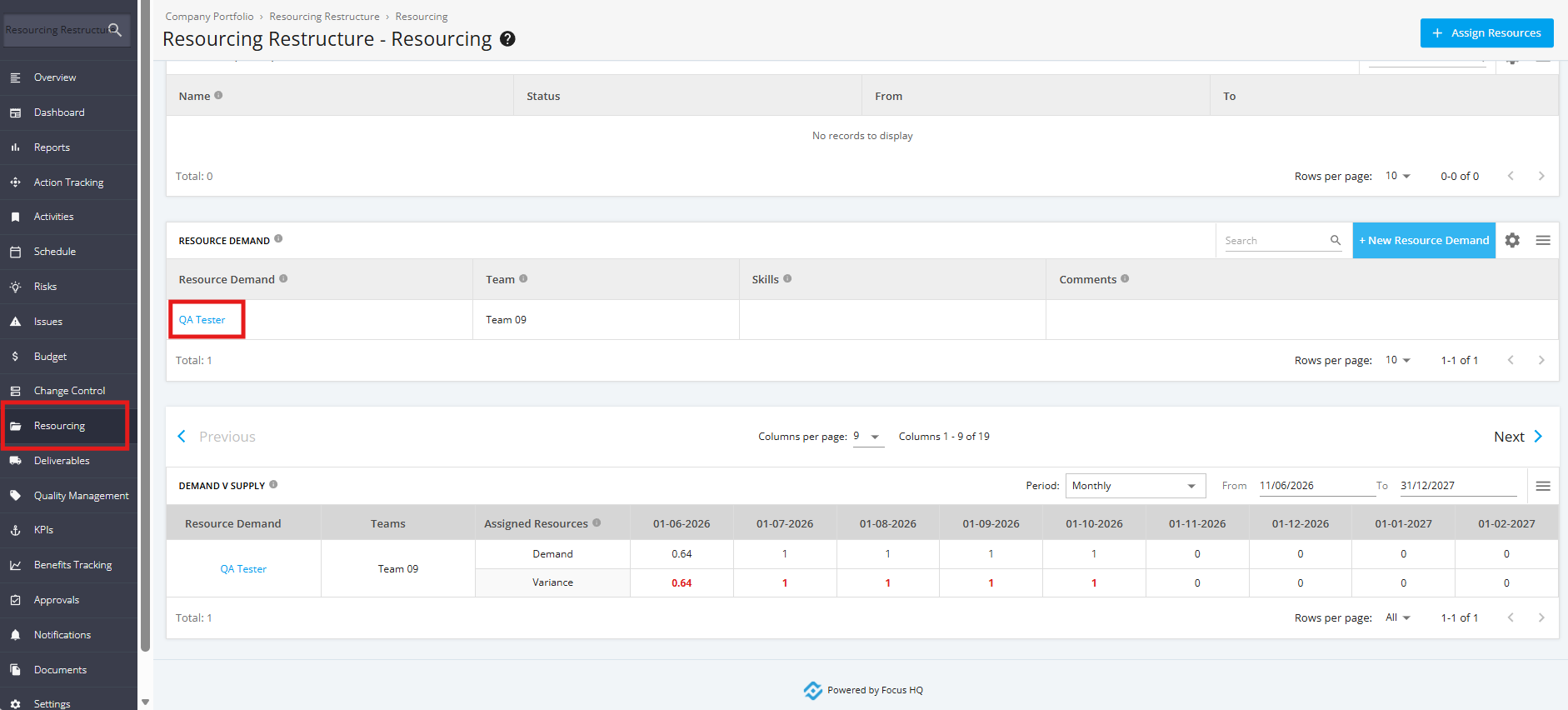
1. To delete a Resource Demand, click the ‘Resourcing’ tab from the left side bar. Once done, navigate to the ‘Resource Demand’ section and choose the Resource Demand to be deleted from the list.
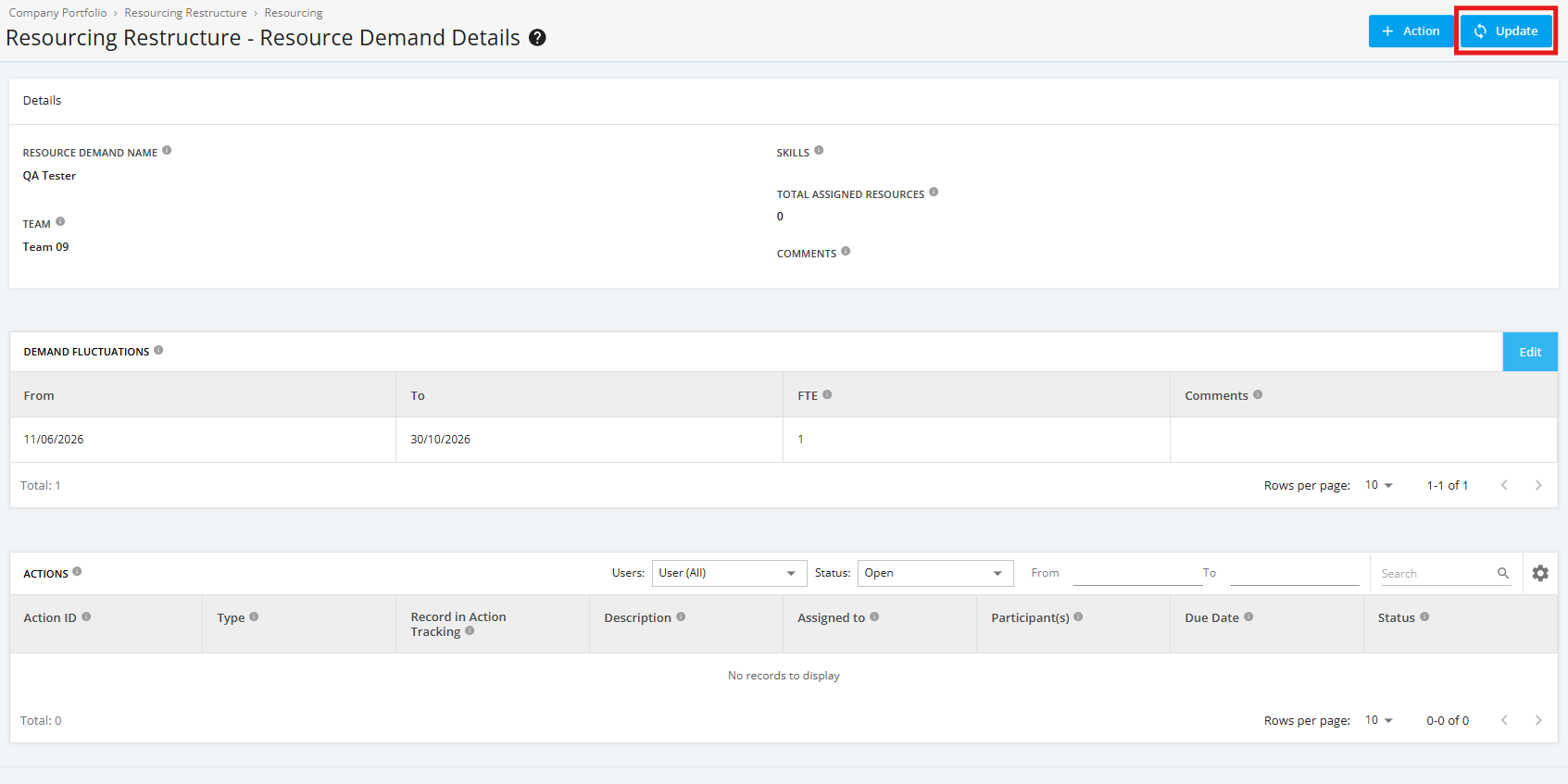
2. Within the ‘Resource Demand Details’ page, click the ‘Update’ button.
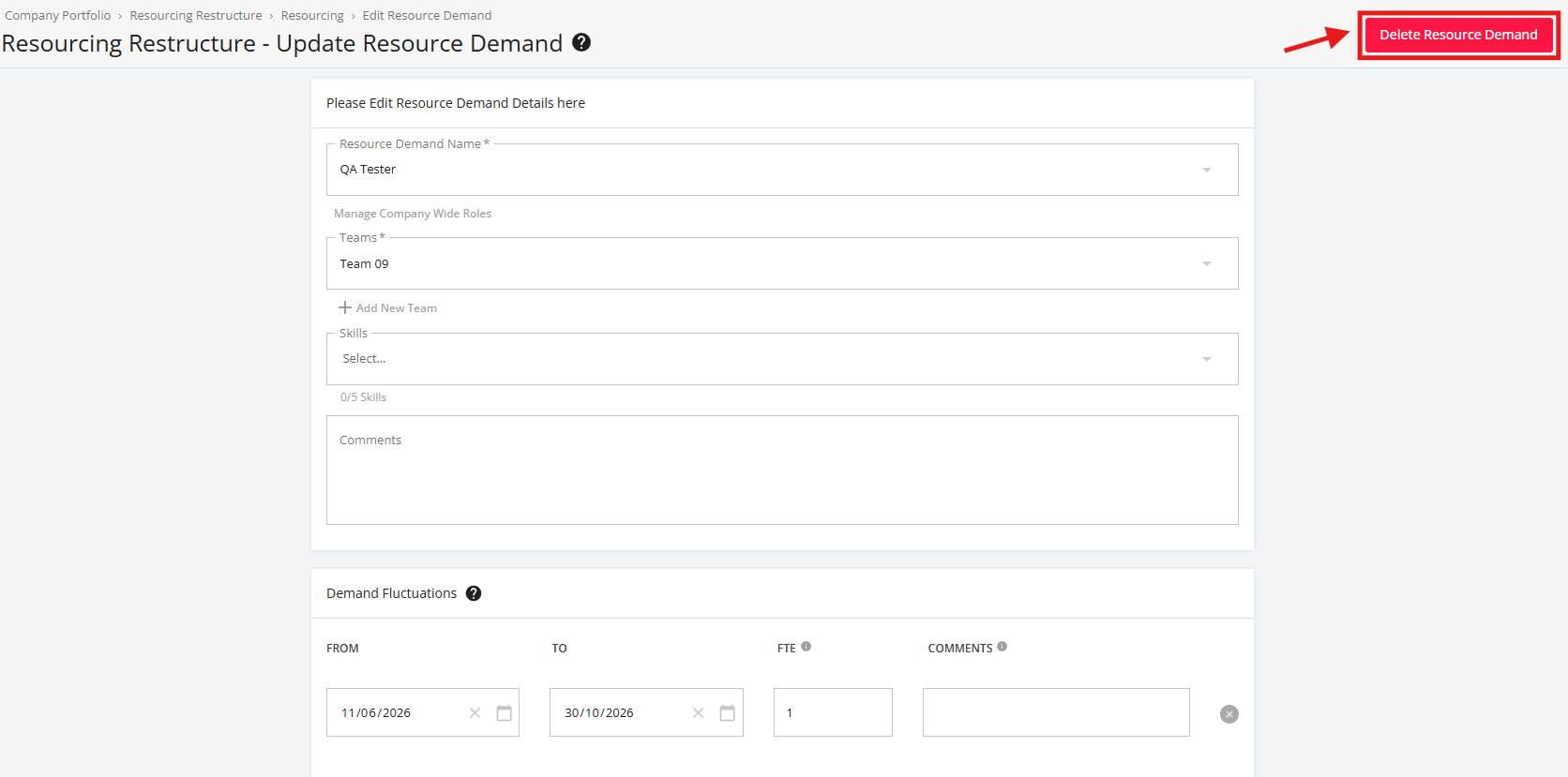
3. Click the ‘Delete Resource Demand’ button located at the top right corner of the page.
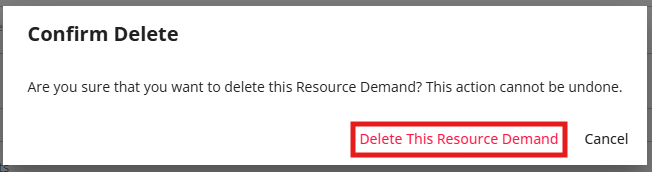
4. A pop-up window will appear for confirmation. click ‘Delete This Resource Demand’ to proceed.