
1. How to Update Resource Demand
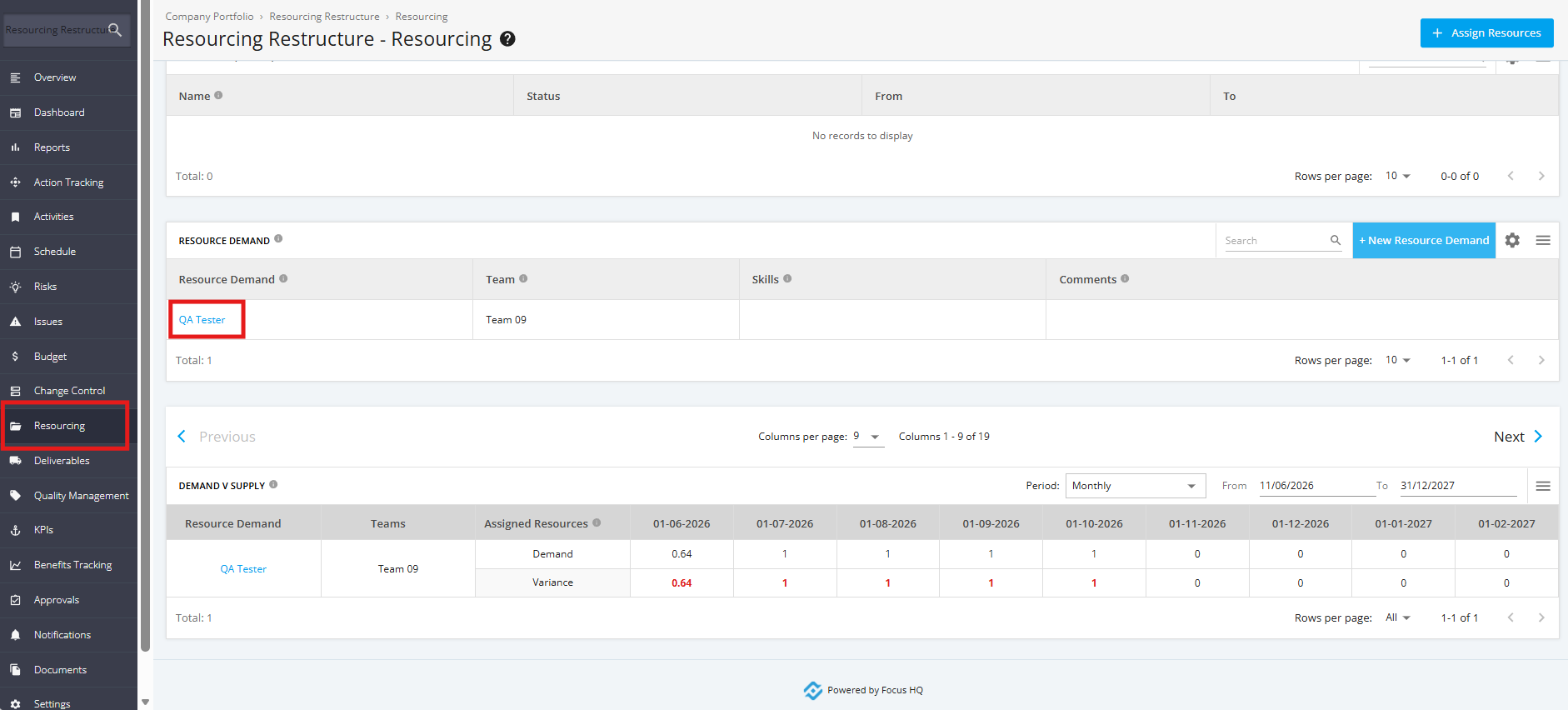
1. To update the Resource Demand, click the ‘Resourcing’ tab from the left sidebar then navigate to the ‘Resource Demand’ section. Click the ‘Resource Demand’ that you want to update.
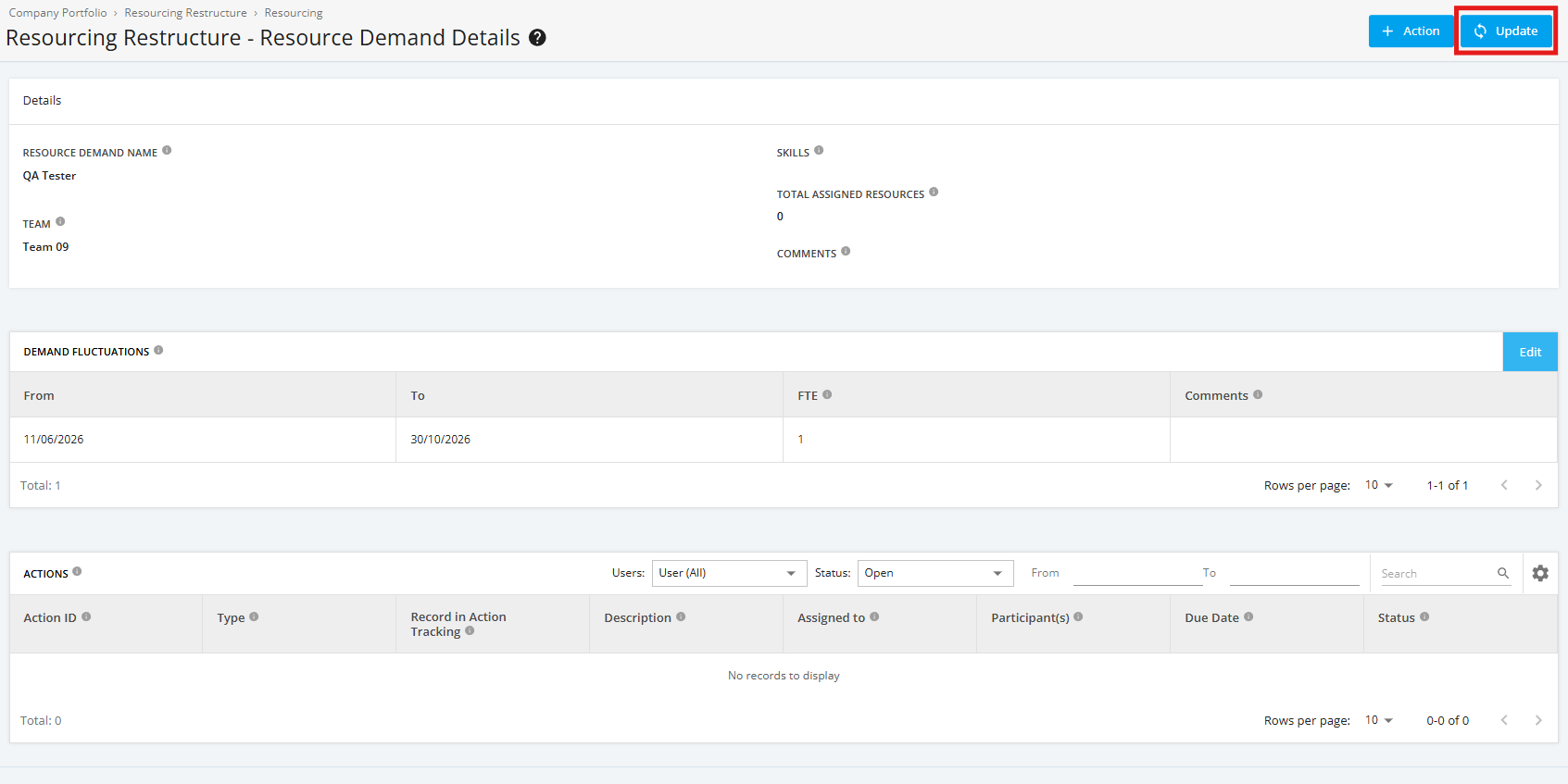
2. Within the ‘Resource Demand Details’ page, click the ‘Update’ button.
3. Then update the necessary fields, once complete, click the ‘Update Resource Demand’ button.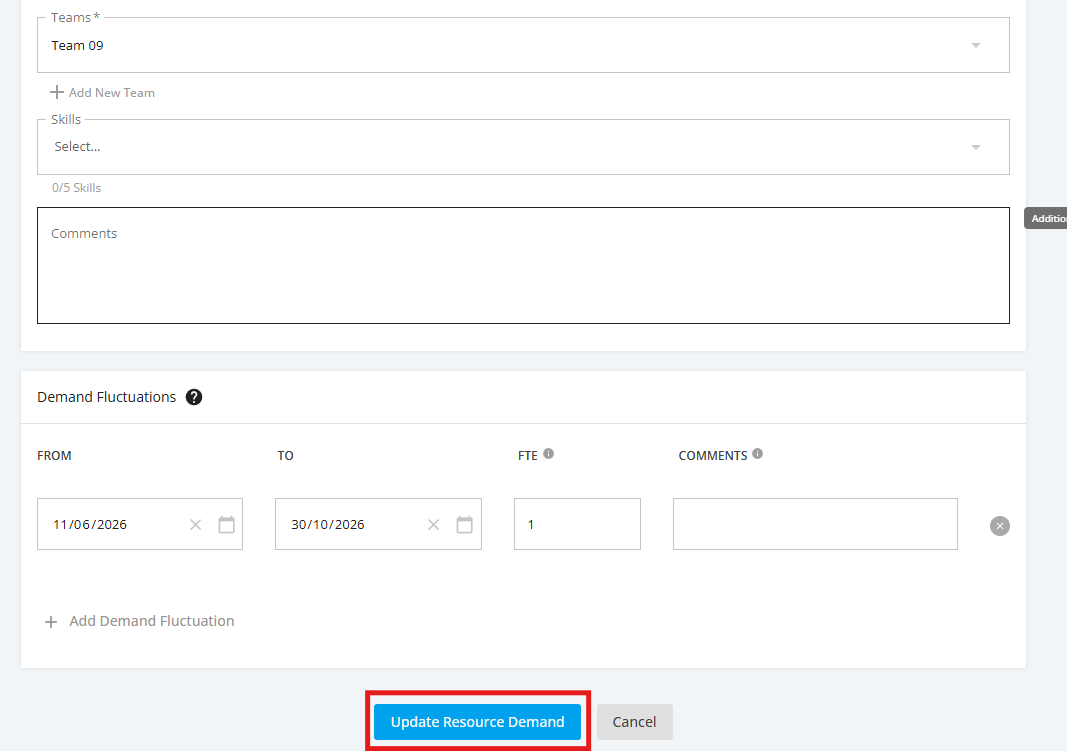
TIP:
If you would like to update only the Demand Fluctuations of a Resource Demand, you can click the Edit button of the Demand Fluctuations section of the Resource Demand Details page. It will redirect you to the Update Resource Demand page.