
1. How to Add Resource Demand
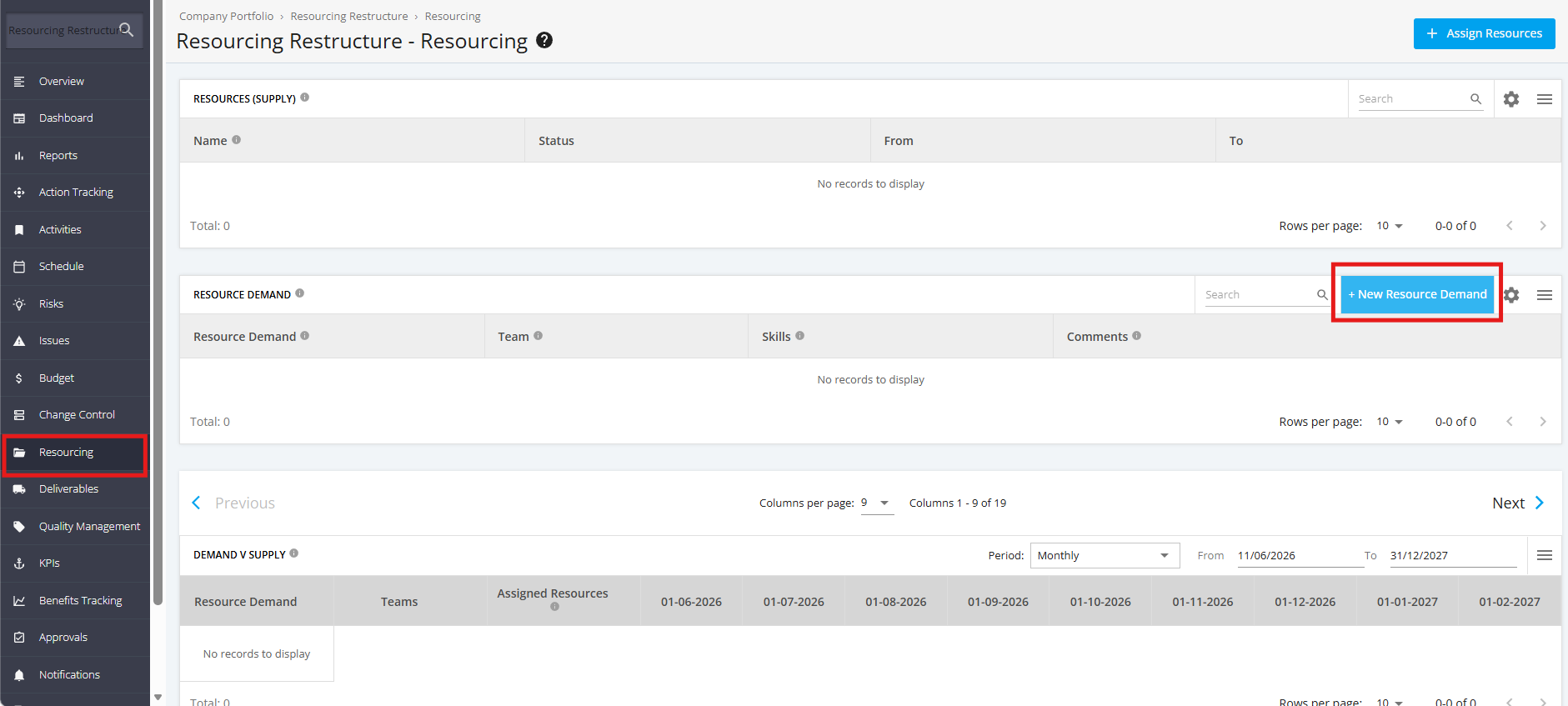
1. To add Resource Demand for a Project, click ‘Resourcing’ from the sidebar of the page then navigate to the ‘Resource Demand’ section. Click the ‘New Resource Demand’ button.
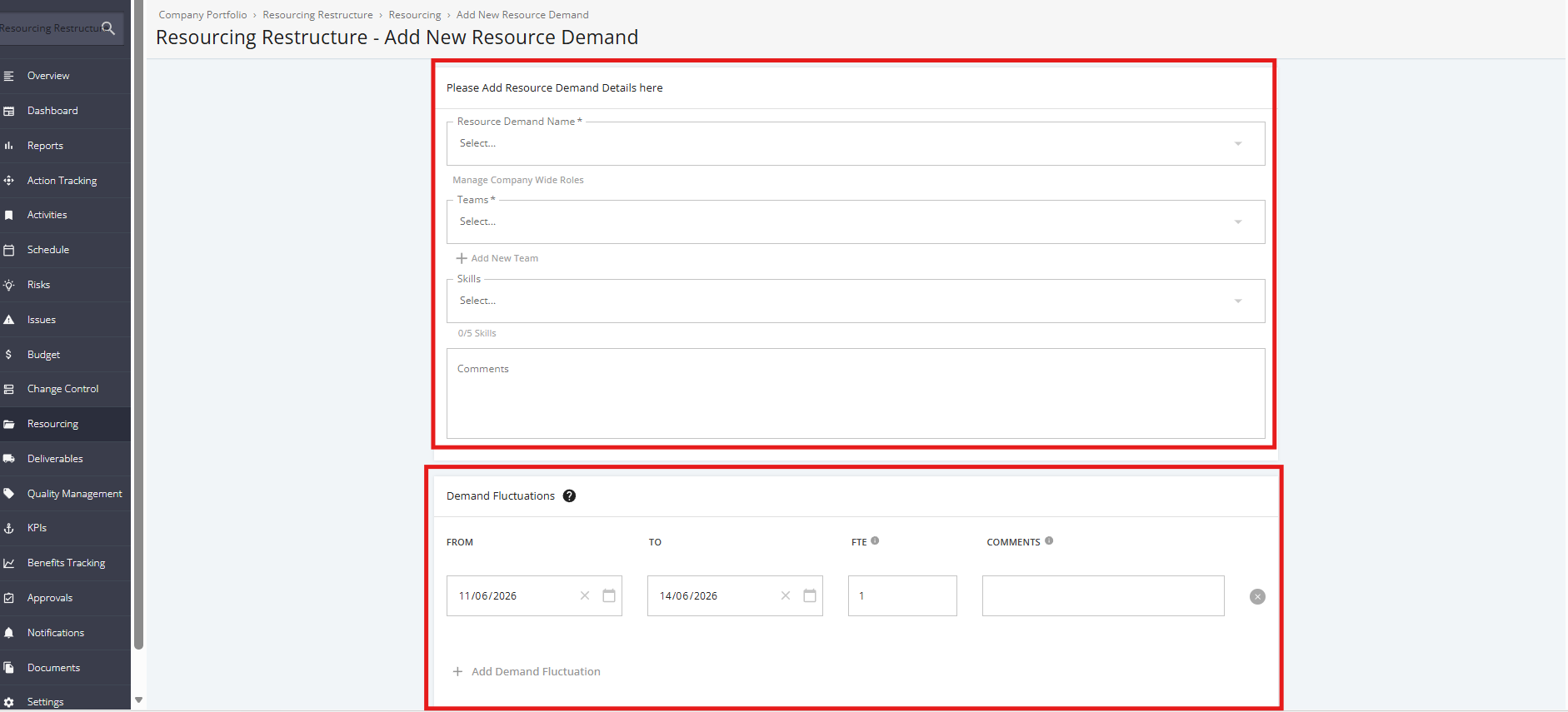
2. Fill in the following Resource Demand Details:
‘Resource Demand Name’ – A short, descriptive title that clearly identifies the resource requirement
‘Teams’ – The team, department, or functional group responsible for fulfilling the resource demand.
'Skills' - The specific competencies, expertise, or qualifications required to fulfill the demand
'Comments' - Additional context or notes related to the demand. You can note special requirements, constraints or dependencies, priority or urgency notes, or any clarifications not captured elsewhere.
Demand Fluctuations
- ‘From’ – The start date when the resource demand becomes effective.
- ‘To’ – The end date when the resource demand is no longer required
- ‘FTE’ – The number of full-time resources required during the specified period. Highest value is 1.
- ‘Comments’ – Additional notes about the fluctuation period
To add more Teams, click the '+ Add New Team' link.
To add more Demand Fluctuations, click the '+ Add Demand Fluctuation' link.
3. Once done, click the 'Add Resource Demand' button.
If you would like to add the Resource Demand and assign it to a Resource Supply right away, click the 'Add and Assign Resource Demand' button. Clicking the said button will redirect you to the Assign Resource page.
