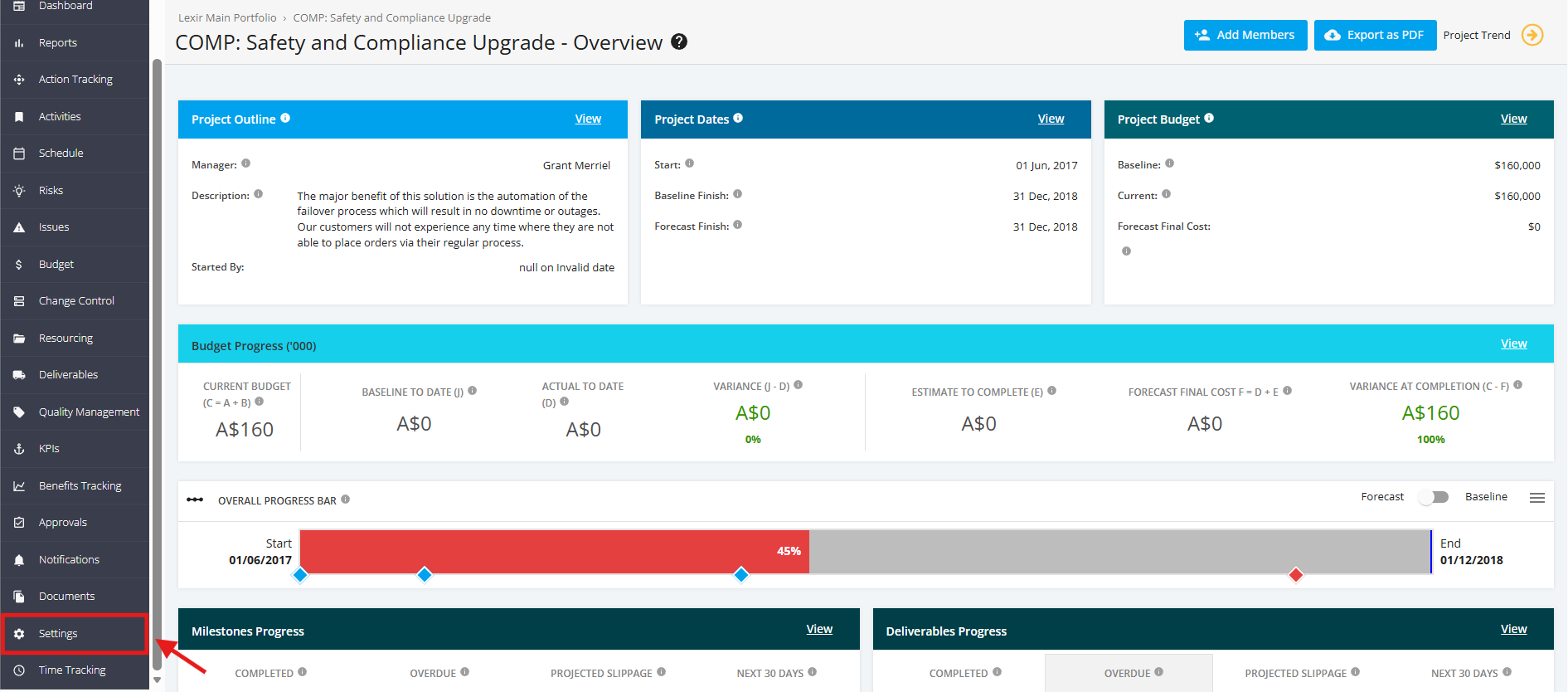
1. Navigate Project Settings
- To navigate to the Project ‘Settings’ page, open the FOCUS™ platform using this link https://app.projectfocushq.com/accounts/login/.
- Login using your ‘Username’ and ‘Password’, and click the ‘Log-in’ button.
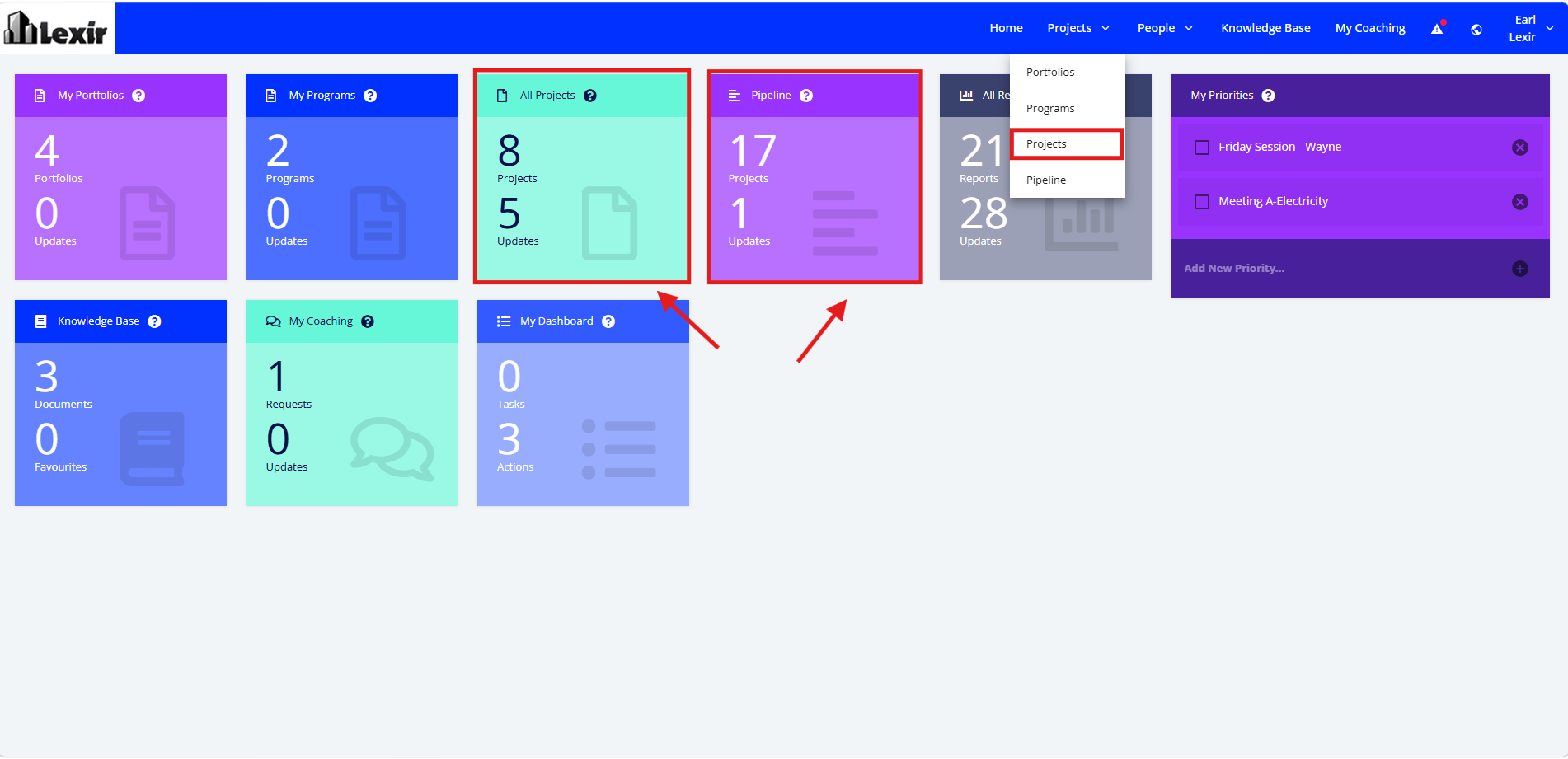
- Once logged in, you will reach the Company’s Homepage. Within the ‘Tiles’ section, navigate to ‘Project Dashboard’ by clicking either the ‘All Projects’ tile, 'Pipeline' tile, or ‘Projects’ from the main navigation.
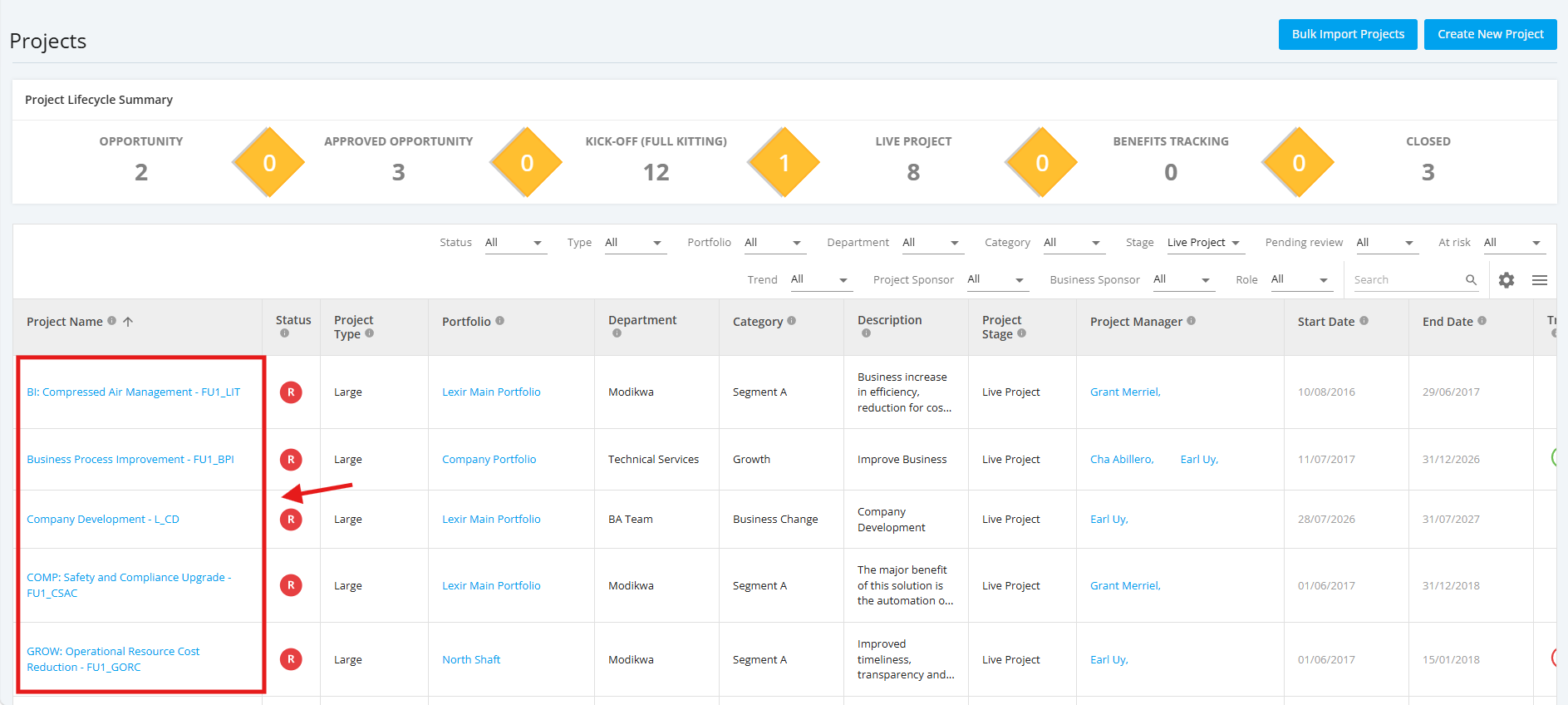
- In the ‘Project Dashboard’ section, click on the ‘Name’ of the ‘Project’ that you want to manage
Note: In this section, you can only see the Projects assigned to you unless the administrator has provided you a Company Access Level to all Projects.
- Once a project is selected, go to the left sidebar and click on ‘Settings’ as shown below.