1. Exporting All Meeting Items
1. In the Meetings Table, click the three horizontal lines and select Download CSV or Download PDF.

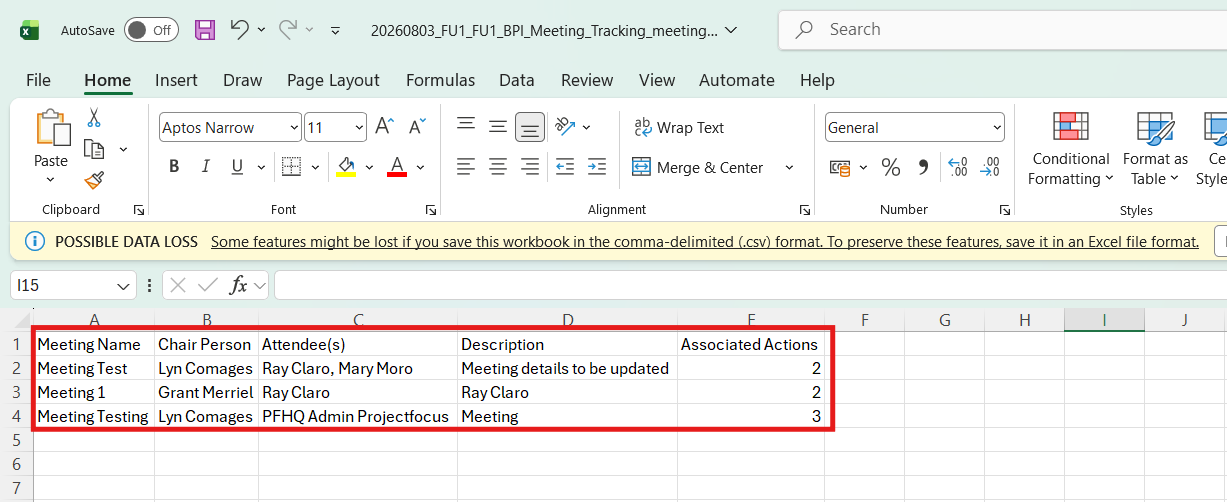
2. In downloading a CSV, the file looks like the below.
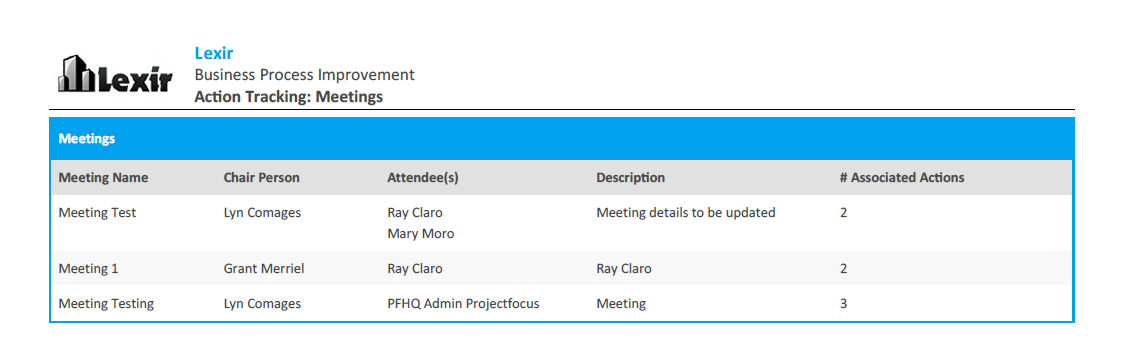
3. In downloading a PDF, the file looks like the below.

Modified on: Mon, 3 Aug, 2026 at 5:56 PM
1. In the Meetings Table, click the three horizontal lines and select Download CSV or Download PDF.
2. In downloading a CSV, the file looks like the below.
3. In downloading a PDF, the file looks like the below.
Did you find it helpful? Yes No
Send feedback