1. Deleting a Meeting Item in Action Tracking
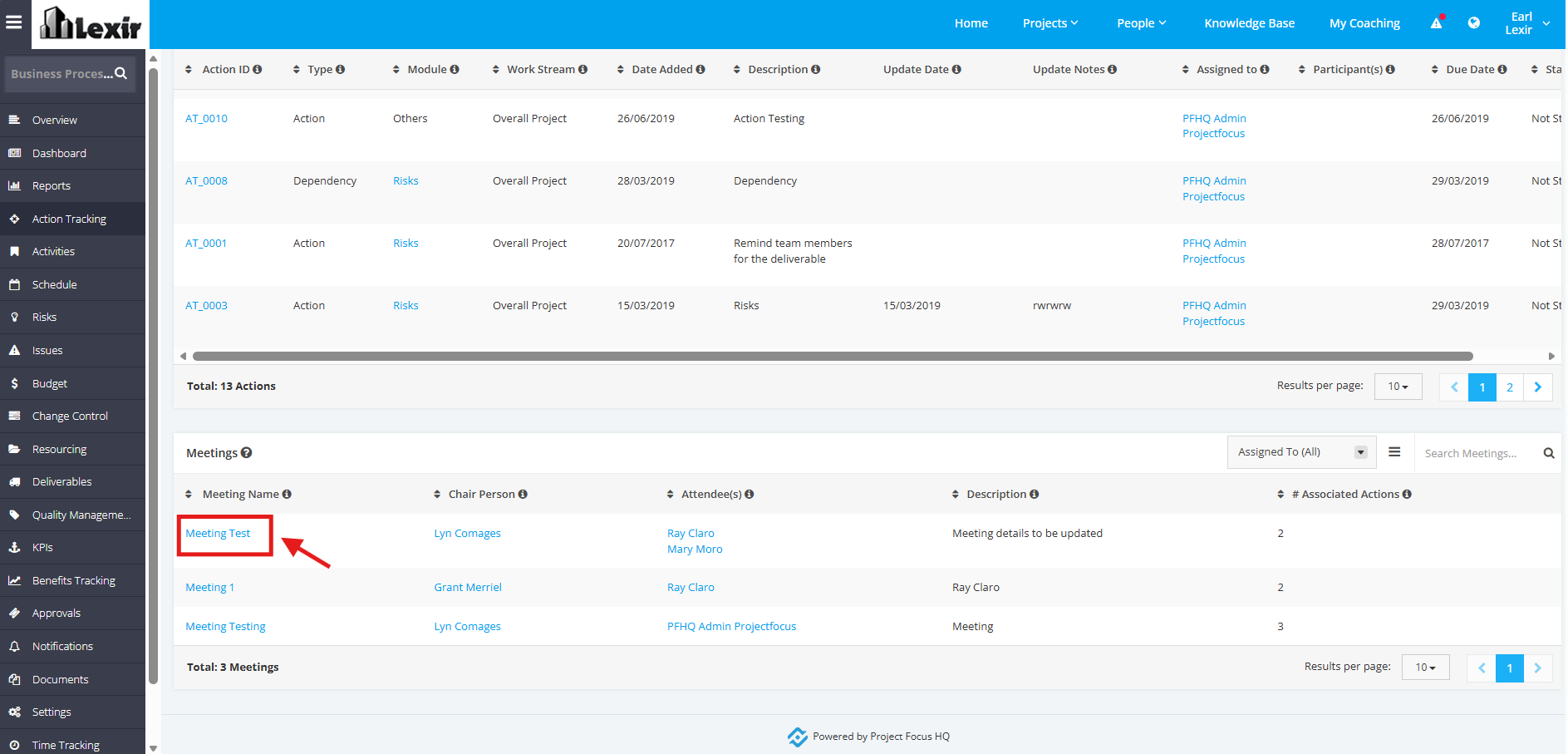
1. In the Meetings table, click the Meeting Name.
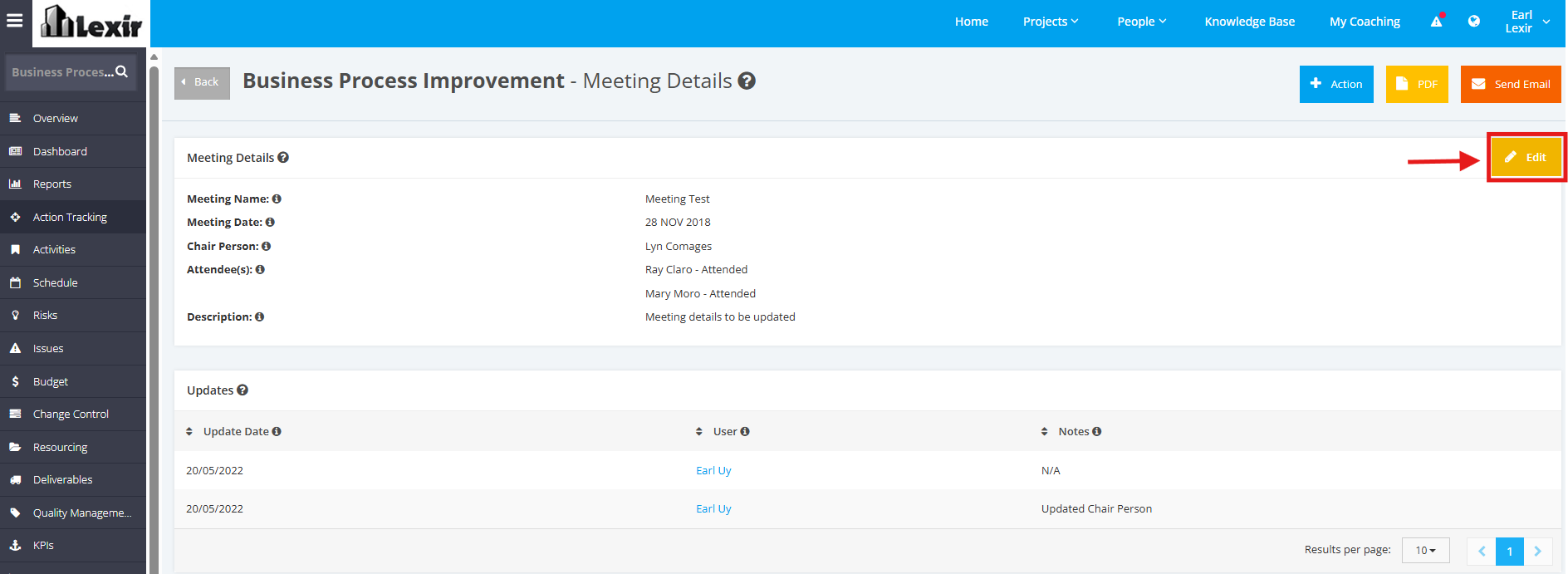
2. Once redirected to the Meeting Details page, click the Edit button.
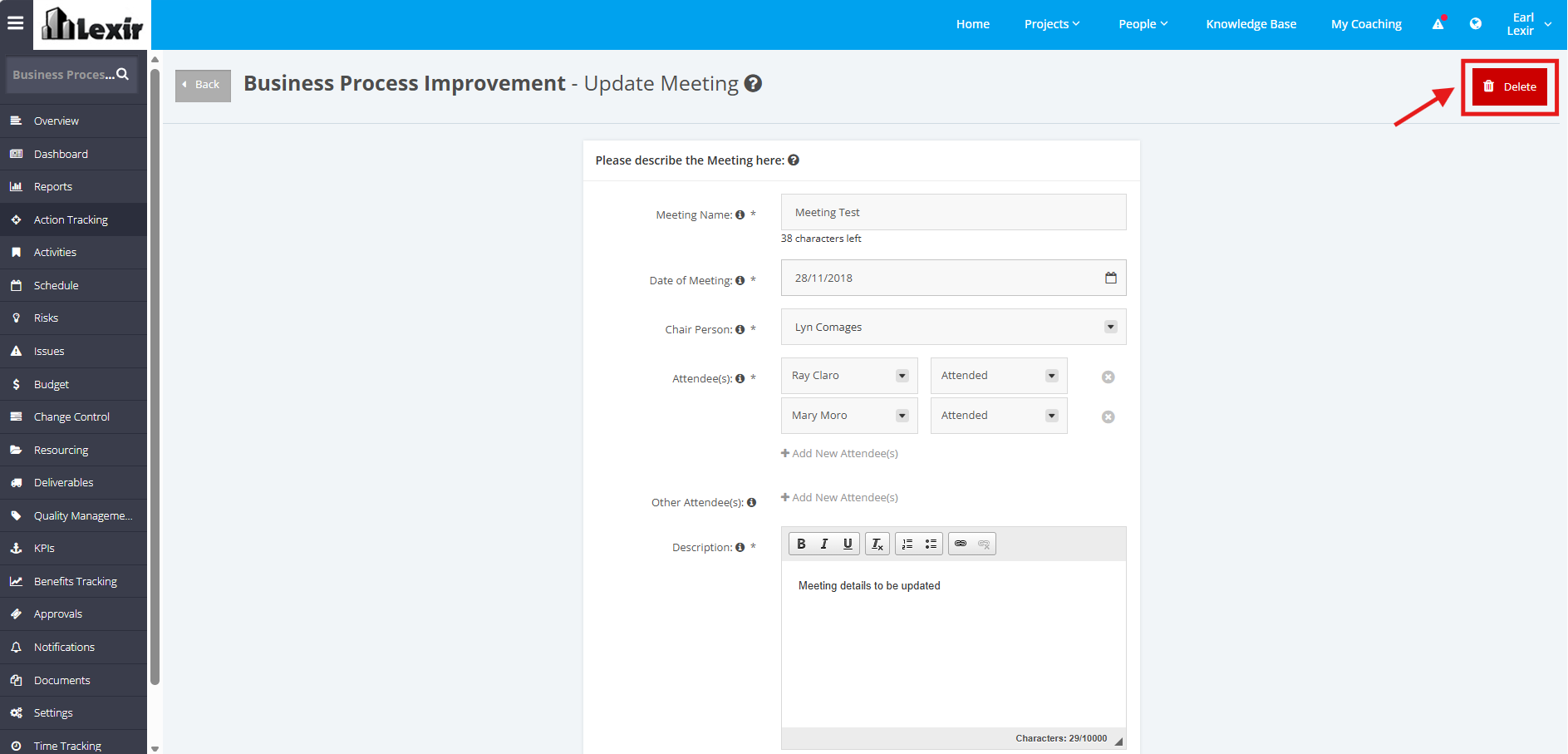
3. In the Update Meeting page, click the Delete button.
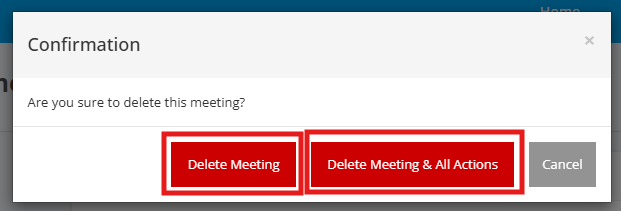
4. A confirmation pop-up message will then appear.
If you want to Delete the Meeting and its associated Actions, click the Delete Meeting & All Actions button.
If you want to Delete the Meeting only, click the Delete Meeting button.