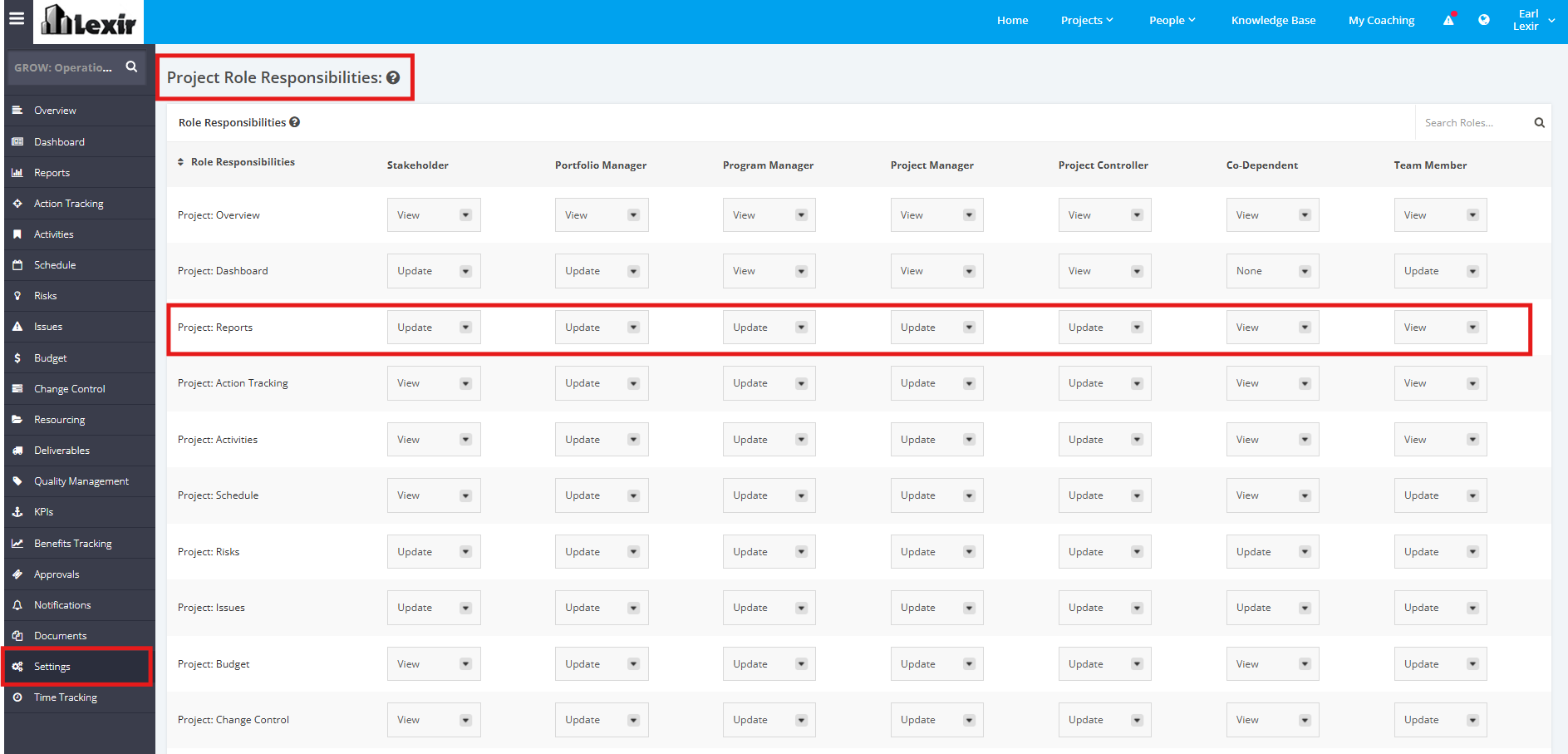
1. Set-up Project Reports Role Responsibilities
To manage the Role Responsibilities for the Project Reports module, click the ‘Settings’ tab from the left side bar of the Project page. Once done, navigate to the ‘Project Role Responsibilities’ section.
Click the dropdown menu and assign a User Role with their corresponding access rights to the Reports module (e.g. Stakeholder can Update Project Reports). Below are the dropdown menu options:
- ‘Update’ – a User Role can view and make changes to modules assigned
- ‘View’ – a User Role can only view modules
- ‘None’ – a User Role can’t view or update any modules