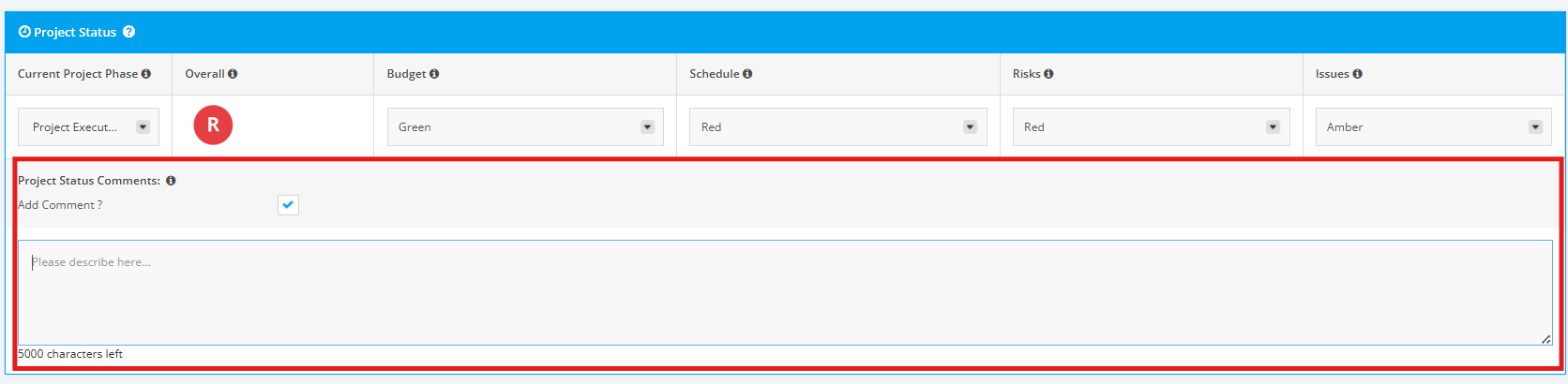
1. Project Status Reporting Data Display
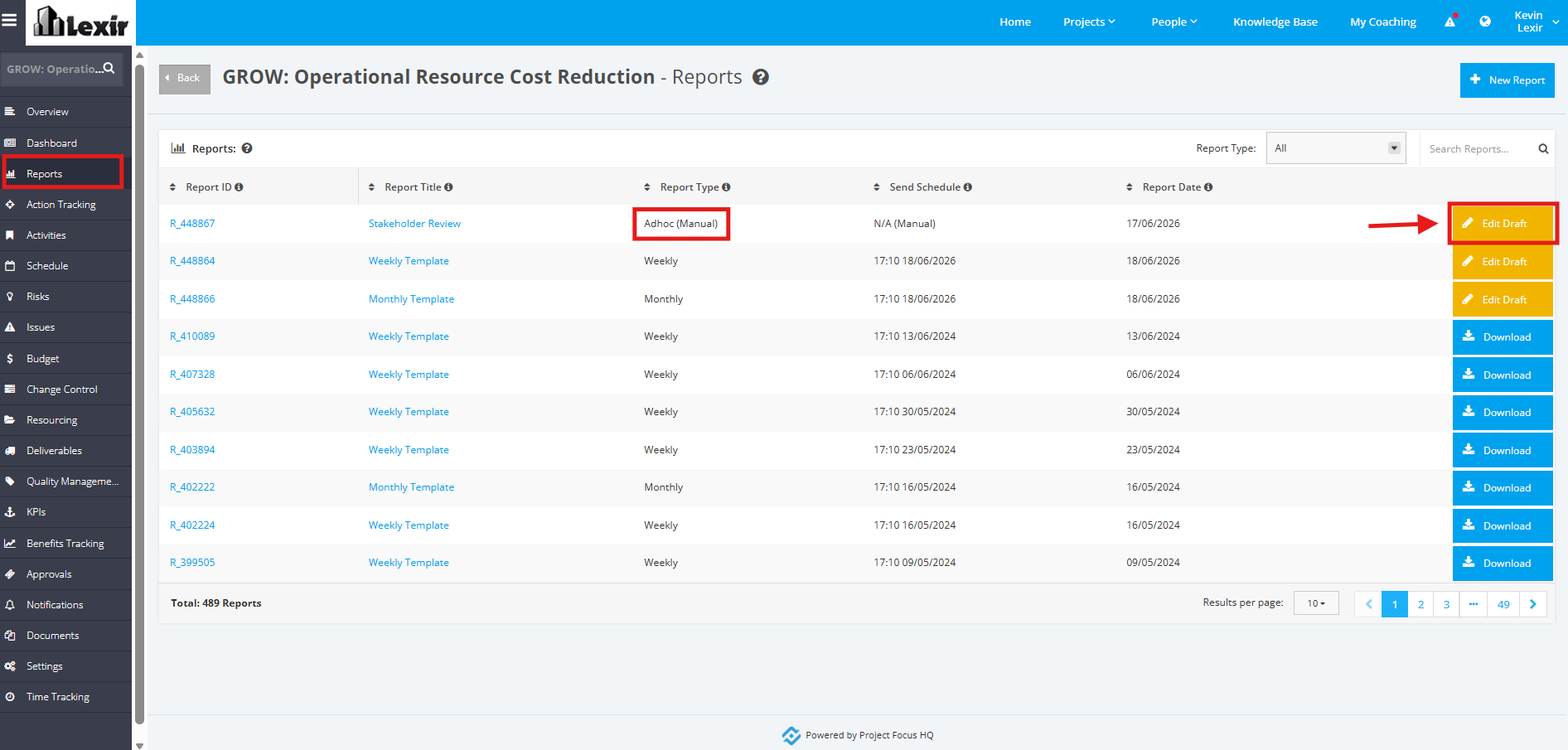
To view display of Reporting Data for Project Status, click ‘Reports’ from the side bar and choose a report from the list as shown below.
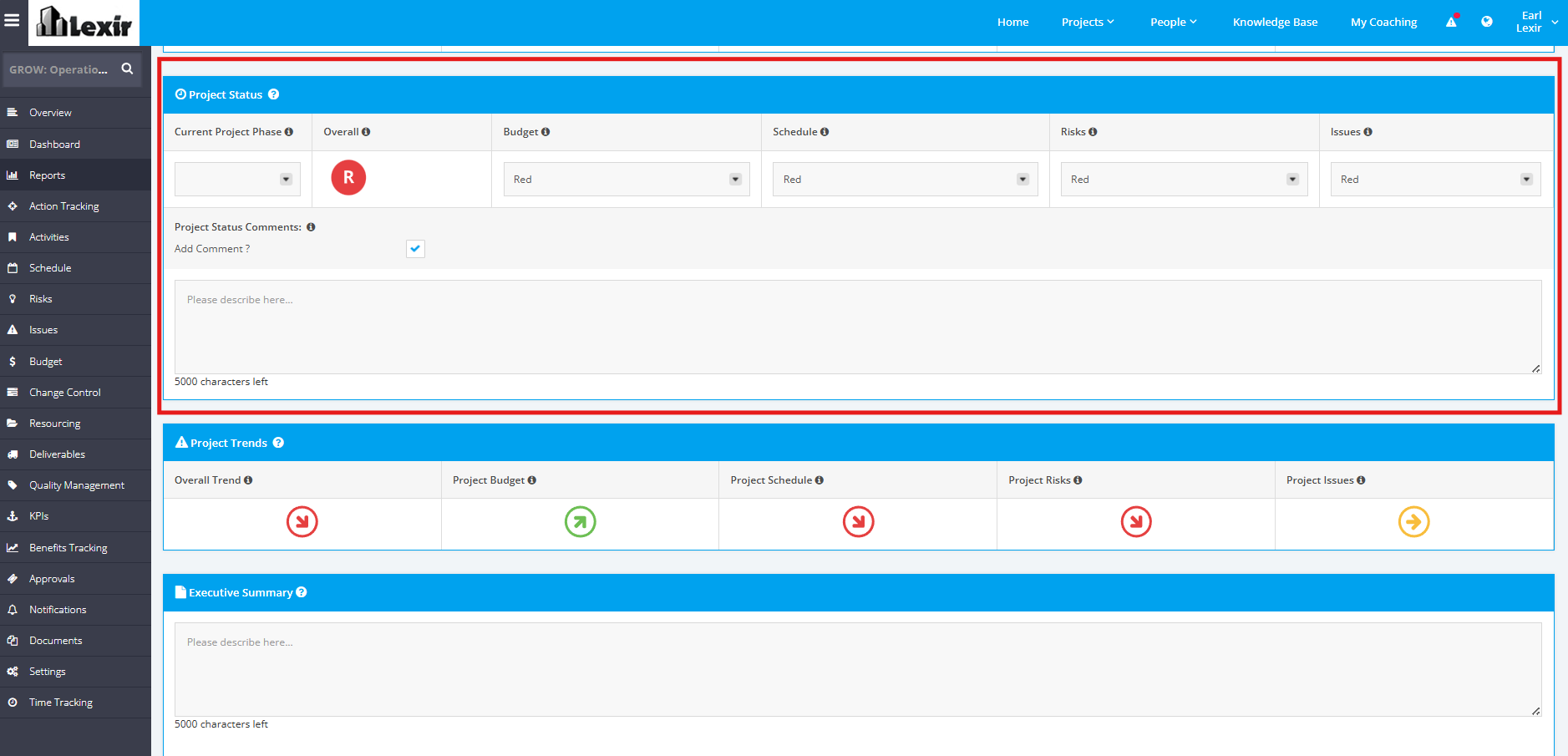
2. Look for the section named 'Project Status' to view the Reporting Status for the Project Budget, Project Schedule, Project Risks, and Project Issues modules, along with the calculated Overall Project Status. In some instances, 'Custom RAG Statuses' are included in the Report.
For the calculation of the Overall Project Status, please click this link and go through the 'RAG Status Indicators' section.
3. You can select a 'Project Phase' and update the 'Status' for each Modules.
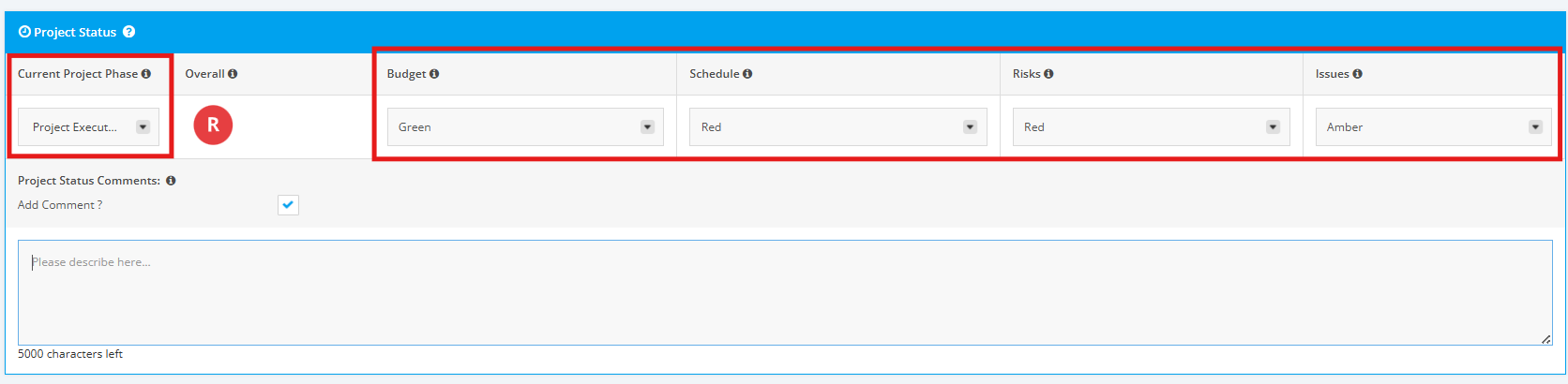
4. You can also add Comments to be added in the Comment field.
You can also untick the Add Comment flag should you not want to add such, and Comment box will be hidden.