1. Delete Draft Adhoc Report within a Project
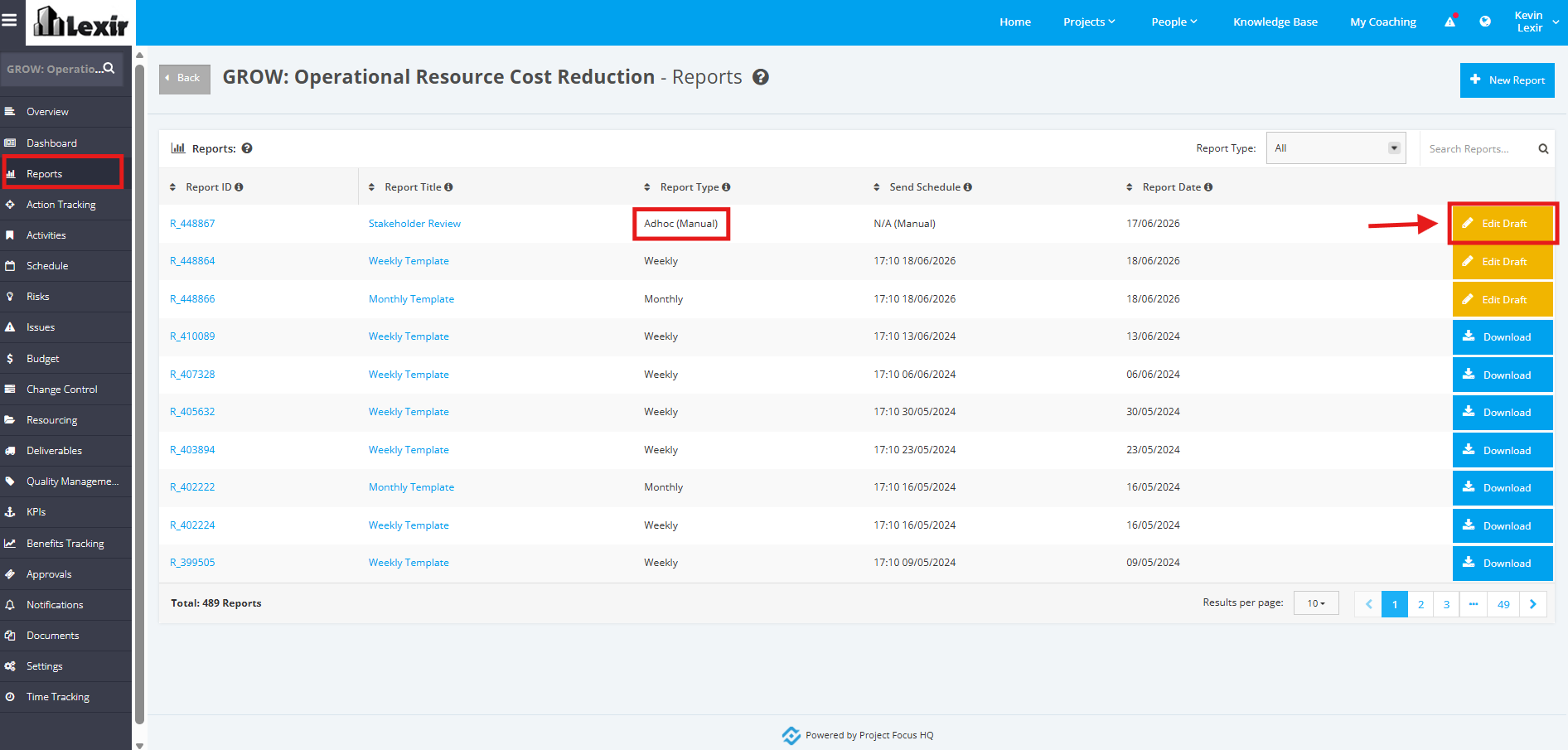
1. Within the Project Reports page, click the ‘Edit Draft’ button of the Adhoc Report that you want to delete.
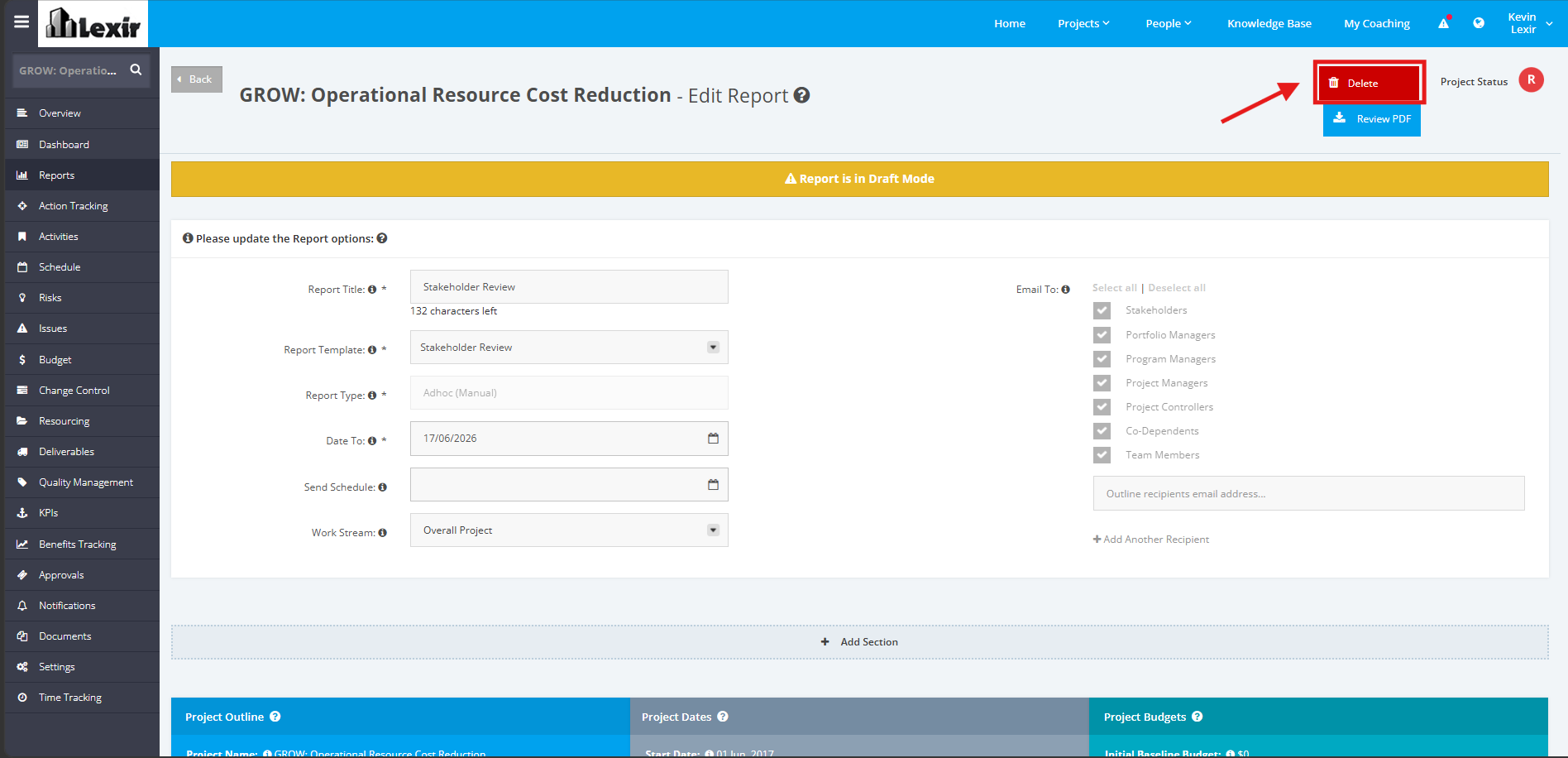
2. From the ‘Edit Reports’ page , click the ‘Delete’ button.
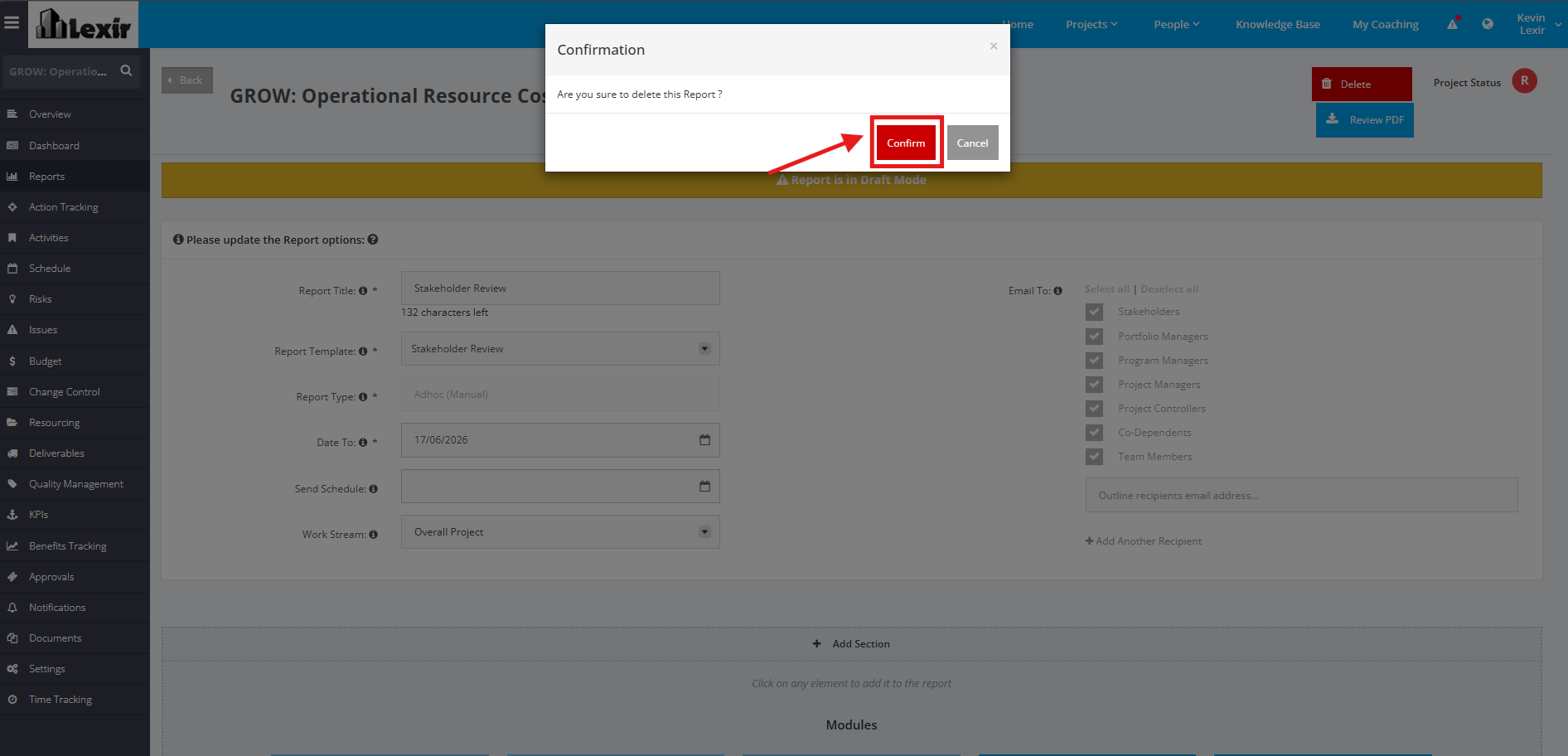
3. A pop up window will appear for confirmation. Click the ‘Confirm’ button to proceed with the deletion.