
1. Navigate Overall Progress Bar
Navigate to the ‘Overall Project Bar’ section within the 'Project Overview' page. This is where it displays the Overall Project Progress on a high level.
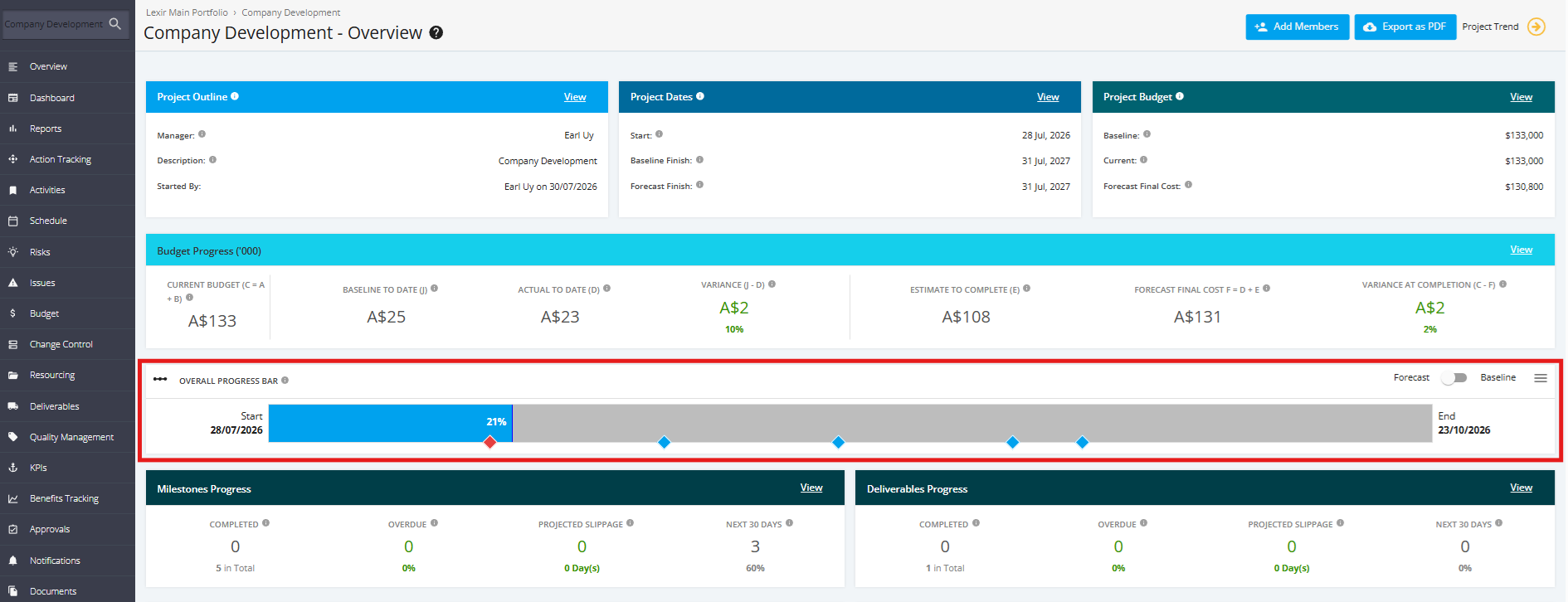
You can hover over the Milestone icon to view a Milestone's details.

You can toggle the view of the Overall Progress Bar based on Forecast Dates or on Baseline Dates.

You can also click the three lined icon to download the Overall Progress Bar in the file type of your choice. Choose either 'Download CSV', 'Download PDF', or 'Download Image'.
