1. Update an Action, Decision, Dependency, and Assumption in Action Tracking
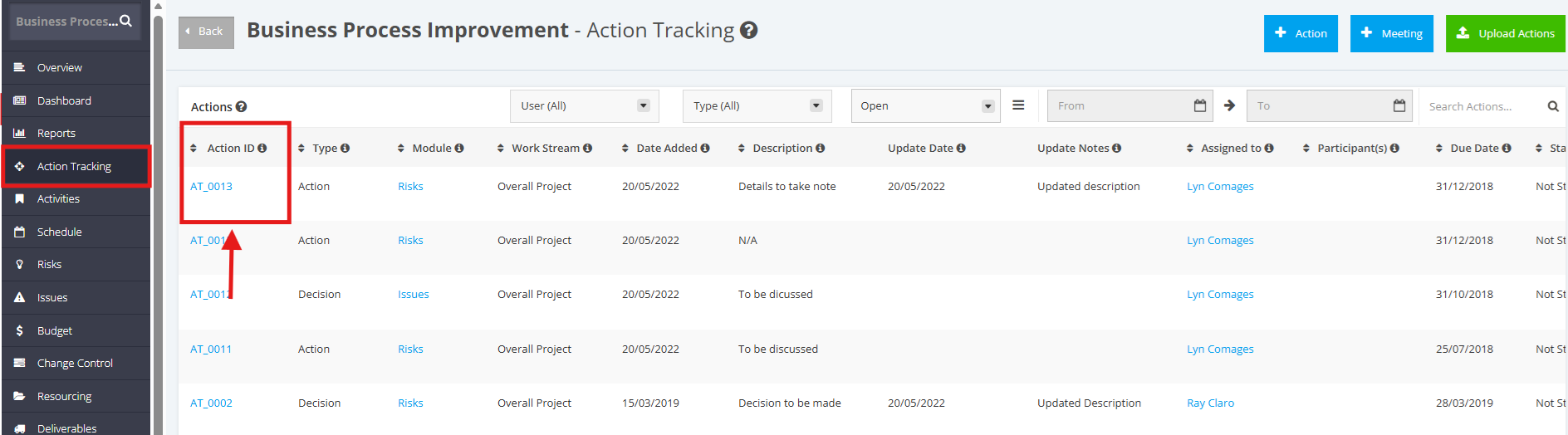
1. In the Action Tracking page, click the Action ID of the Item you want to update.
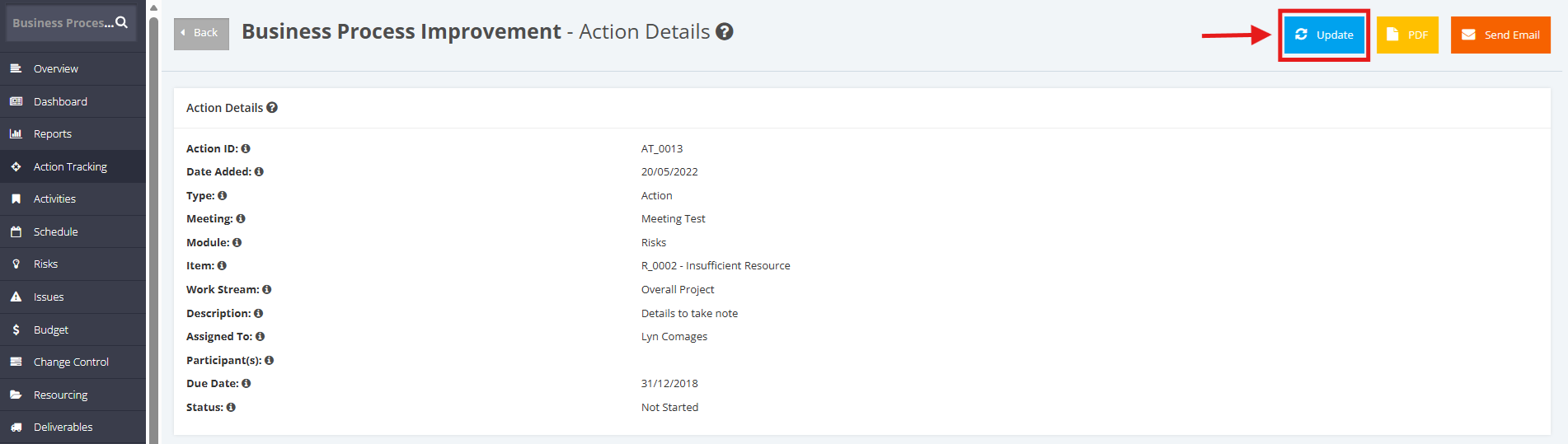
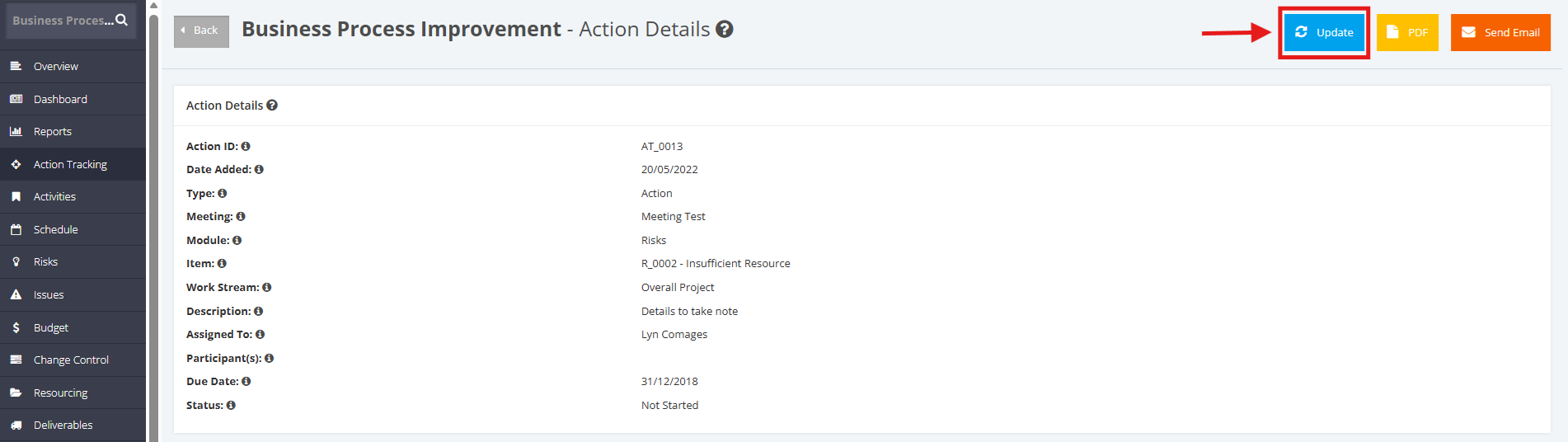
2. In the Action Details page, click the Update button
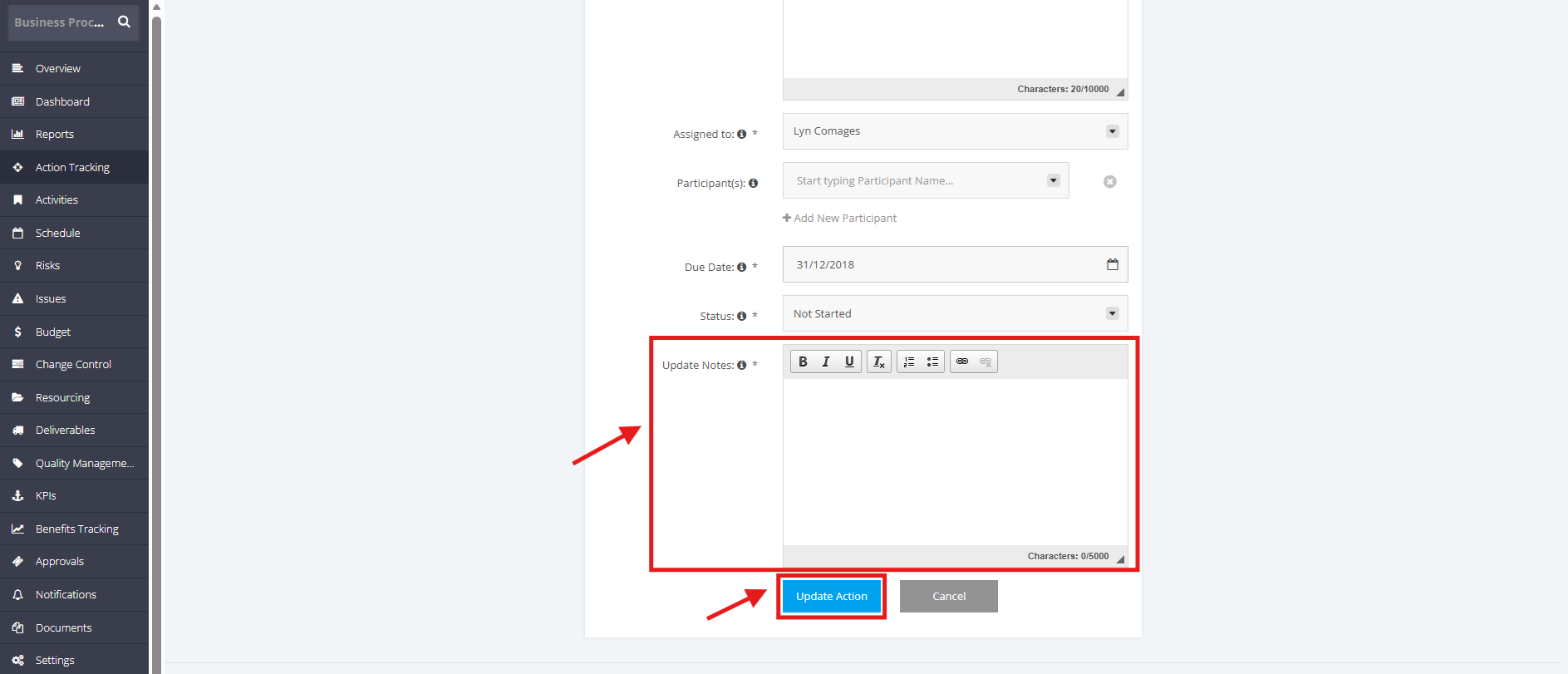
3. In the Update Action page, update all necessary information.
Always note the updates done for the Action Tracking item in the Update Notes field.
Once done, click the Update Action button.
2. Complete an Action, Decision, Dependency, and Assumption in Action Tracking
1. In the Action Tracking page, click the Action ID of the Item you want to update.
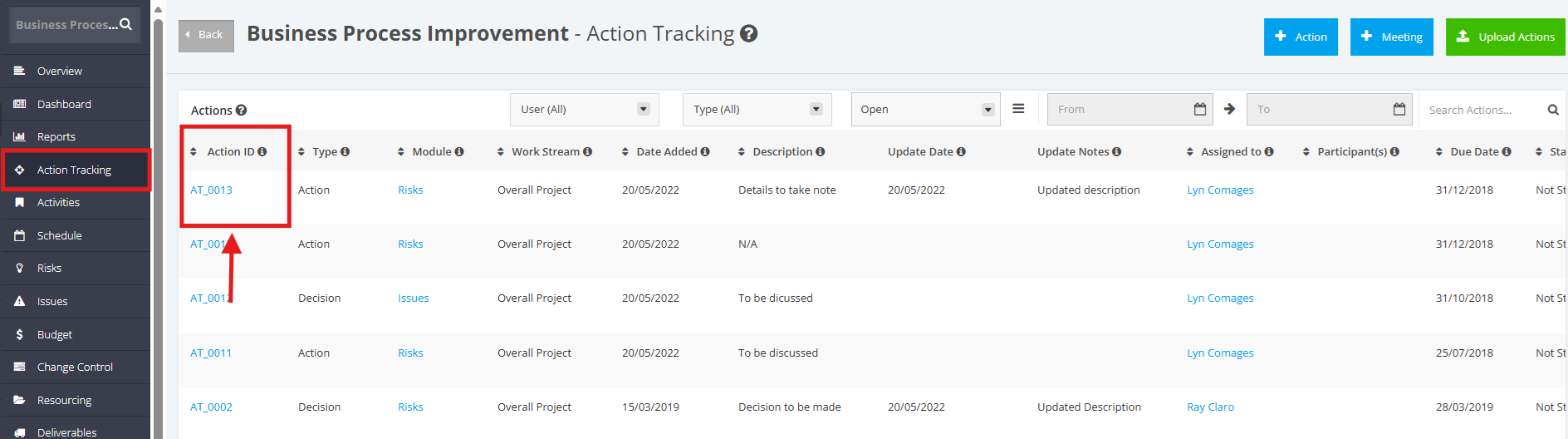
2. In the Action Details page, click the Update button
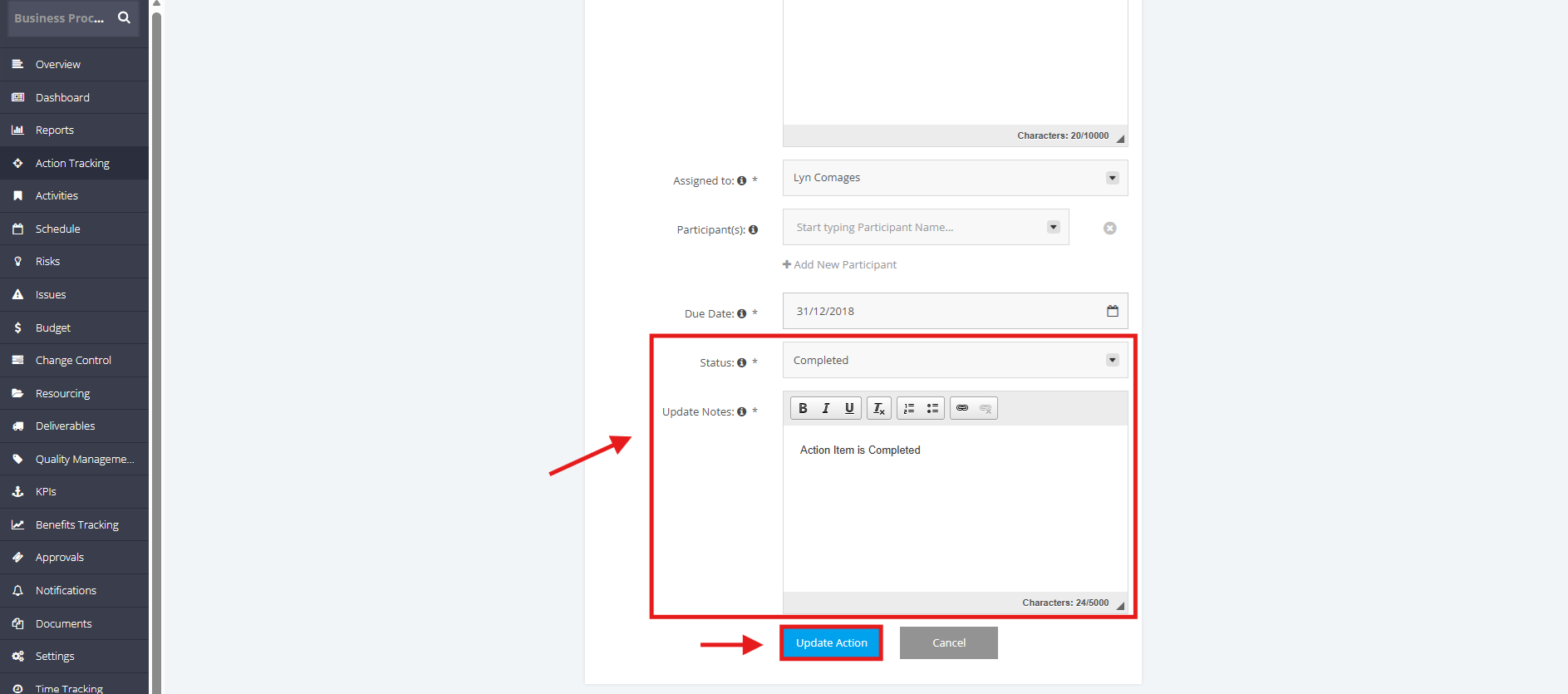
3. In the Update Action page, update the Status to Completed. Then, note the update for the Completed Action Tracking item in the Update Notes field.
Once done, click the Update Action button.