1. How to Download Project Reports
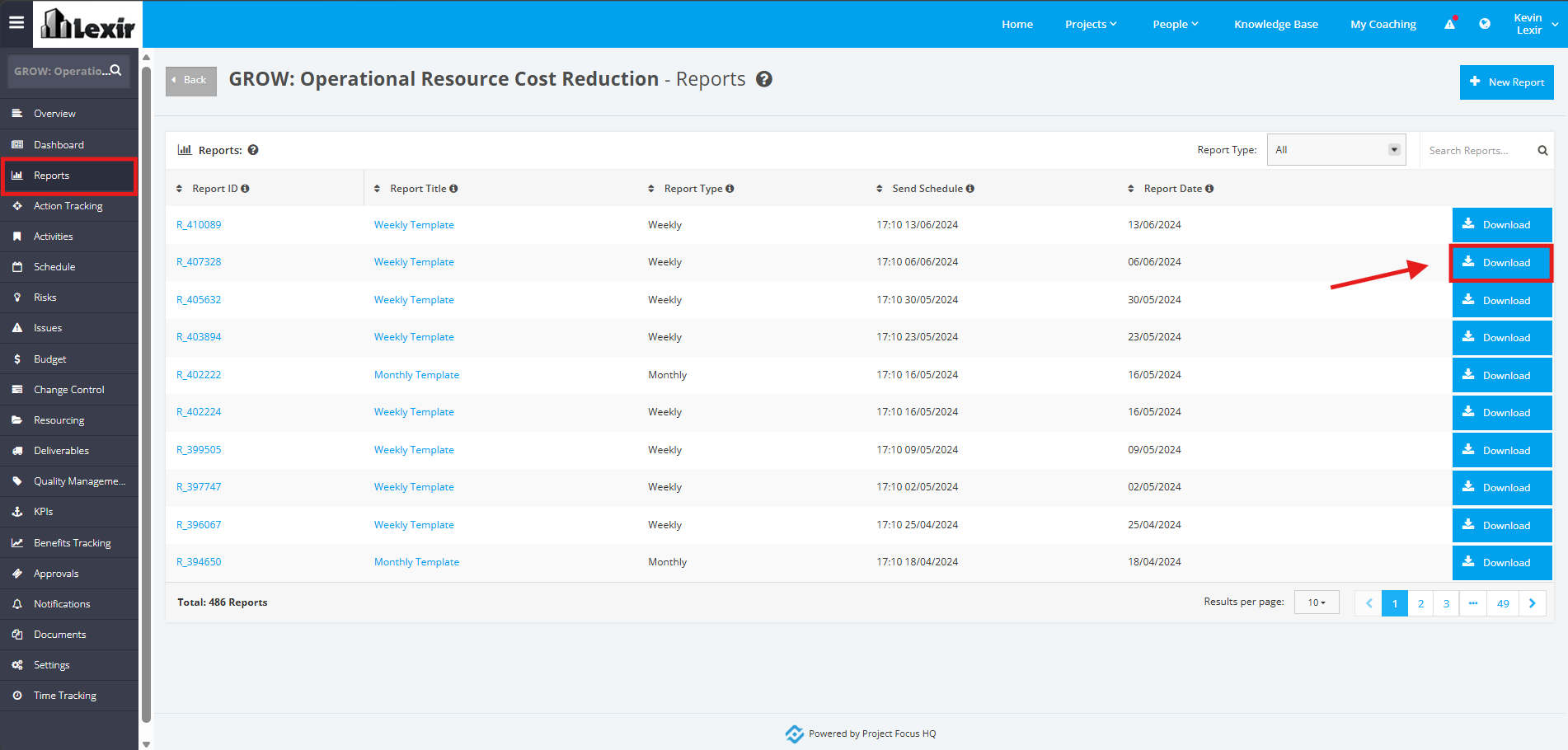
To download a report, click on the ‘Reports’ tab from the left sidebar of the Project page. Once you reach the Project ‘Reports’ page, click the ‘Download’ button.
The file will be saved directly to your device.

Modified on: Wed, 17 Jun, 2026 at 12:59 PM
1. How to Download Project Reports
To download a report, click on the ‘Reports’ tab from the left sidebar of the Project page. Once you reach the Project ‘Reports’ page, click the ‘Download’ button.
The file will be saved directly to your device.
Did you find it helpful? Yes No
Send feedback