
1. Date Validation within a CSV
The following rules are applied during the import mapping and validation stages if the user chooses to proceed with the import:
If there are Invalid Start and/or Finish Dates in the CSV or if Date Format selected upon uploading CSV does NOT match Date format in the CSV, error popup message will display the Row with the Invalid Date and will be notified of a way to correct the date.
This is seen once user clicks the "Import" button in Schedule CSV Import Mapping page.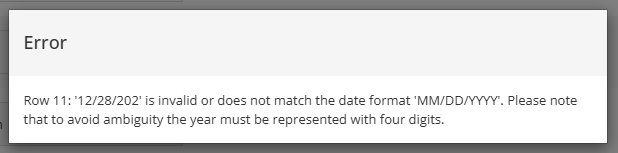
The rules vary slightly depending on whether the schedule is in Planning (Phase 3) or Execution (Phase 4).
Planning (Phase 3)
- For Dates that are Outside the Project Start and End date
Date adjustments message will be displayed.
It will determine the Schedule's earliest Task Start Date, and it will display message "Start Date is too early."
If will also determine the Schedule's latest End Date, it will display message "End date is too late."
It will suggest to pull back the Baseline Start Date to the earliest Task Start Date and push out the Baseline Finish Date to the latest Task End Date.
If you would like to make these date adjustments, click the "Continue" button.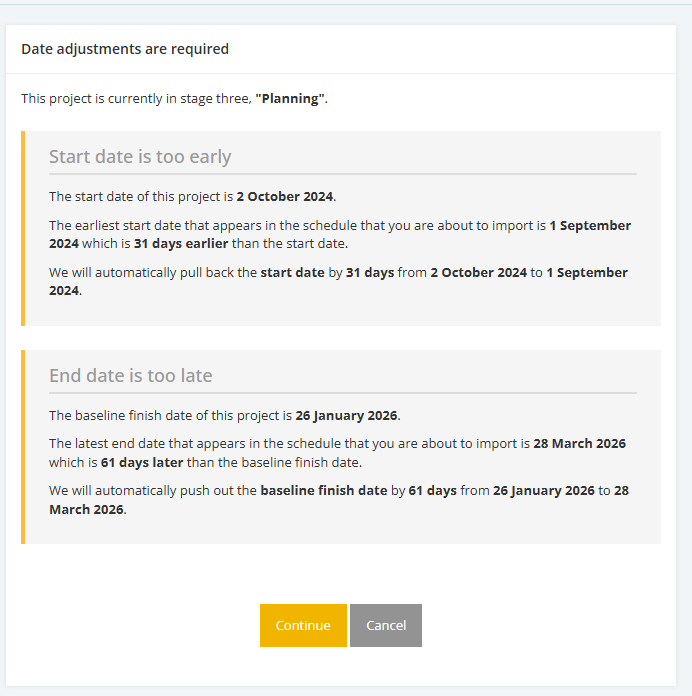
- Task Start Date is later than Task End Date
Warning message will be displayed.
If the user proceeds with the import, the task will still be successfully imported. However, its Start Date and End Date will be set to the Project Start Date and Project Baseline Finish Date, respectively.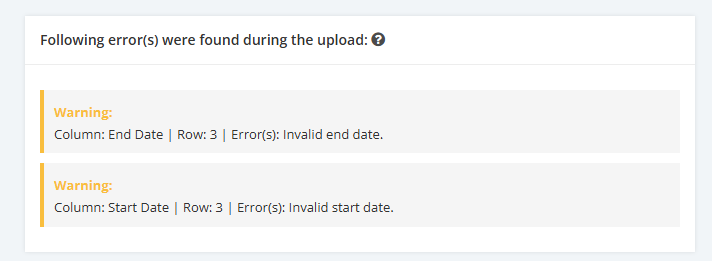
Execution (Phase 4)
- Invalid Start Date/ End Date
If there are invalid Start and/or End dates within the file, the following rules apply:
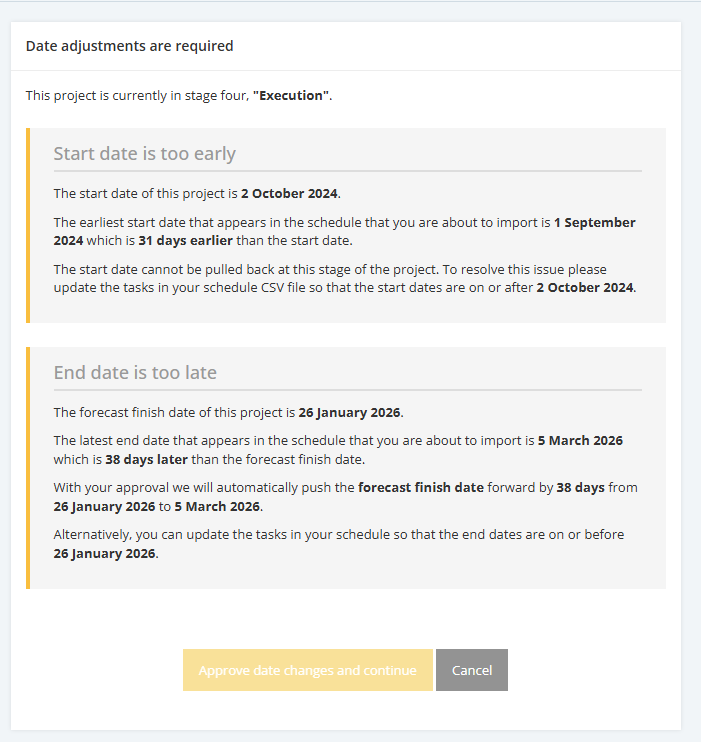
- If a Task's Start and/or End date falls outside the Project Start and Forecast End dates, the Date adjustments message will be displayed. It will enforce the Date Validations where Task Dates should be within the Project Start Date and Project Forecast Finish Date.
- If Task Start Date is later than Task End Date, Warning message will be displayed.
If the user proceeds with the import, the task will still be successfully imported. However, its End Date will be set to the Baseline Finish Date.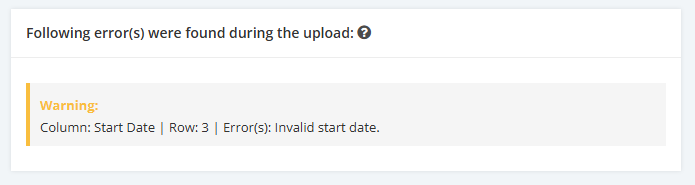
- Invalid Baseline Dates
If there are invalid Baseline Start and/or End dates within the file, the following rules apply:
- If a Task's Baseline Start and/or End date falls outside the Project Start and Baseline End dates, Warning message will be displayed.
If the user proceeds with the import, the task will still be successfully imported. However, its Start Date and End Date will be set to the Project Start Date and Project Baseline Finish Date, respectively.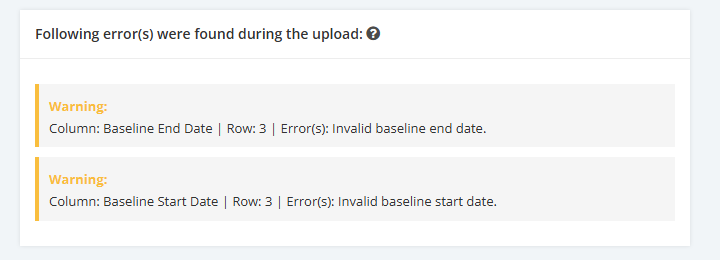
- The system will accept empty Baseline Start and/or End fields, as these typically apply to tasks created after the project plan has been initially baselined. User can manually enter dates within file if needed, provided they fall within the Project Baseline date range.