
1. Validation within a Project Schedule
A user is unable to create or update a task with dates outside the project dates in the online schedule. This applies to attempts made in both the Grid Table and the Task Information box.
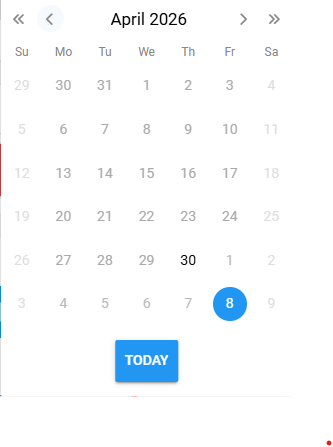
- Use calendar – User will notice that dates outside project dates are greyed out, therefore unable to select.
- Manually type in date – The date box will be marked in RED, and user will be notified either of the following error messages:
1.) Minimum value violation - Date inputted is before Project Start Date
2.) Maximum value violation - Date inputted is after Project End Date