
1. Manage Project Forecast Finish Dates
1. To update the Project Forecast Finish Date, click the ‘Schedule’ tab from the left sidebar of the page, navigate to the ‘Project Dates’ section and, click the ‘Edit’ button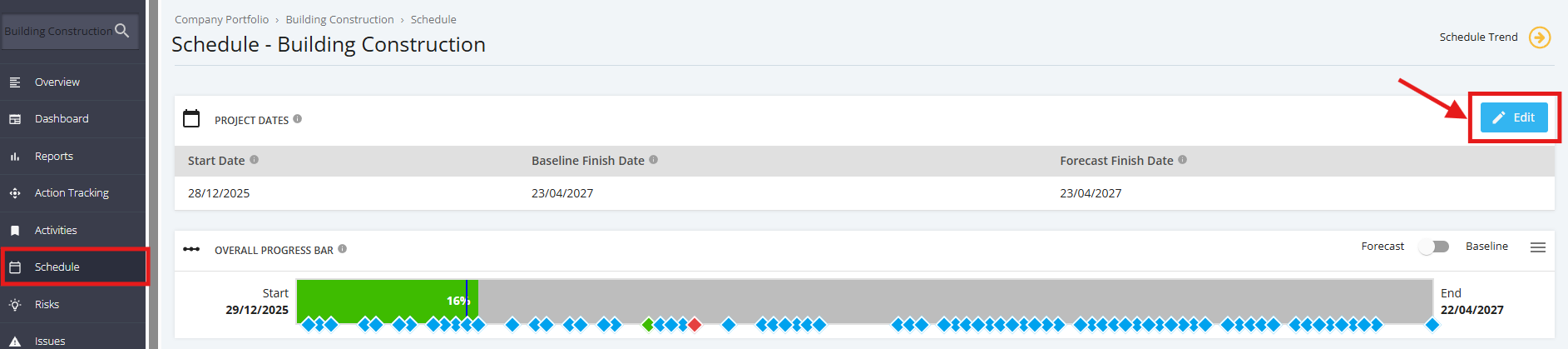
2. Update the ‘Forecast Finish Date’ select the forecast date via the calendar pop-up and ‘Update’ button to save changes.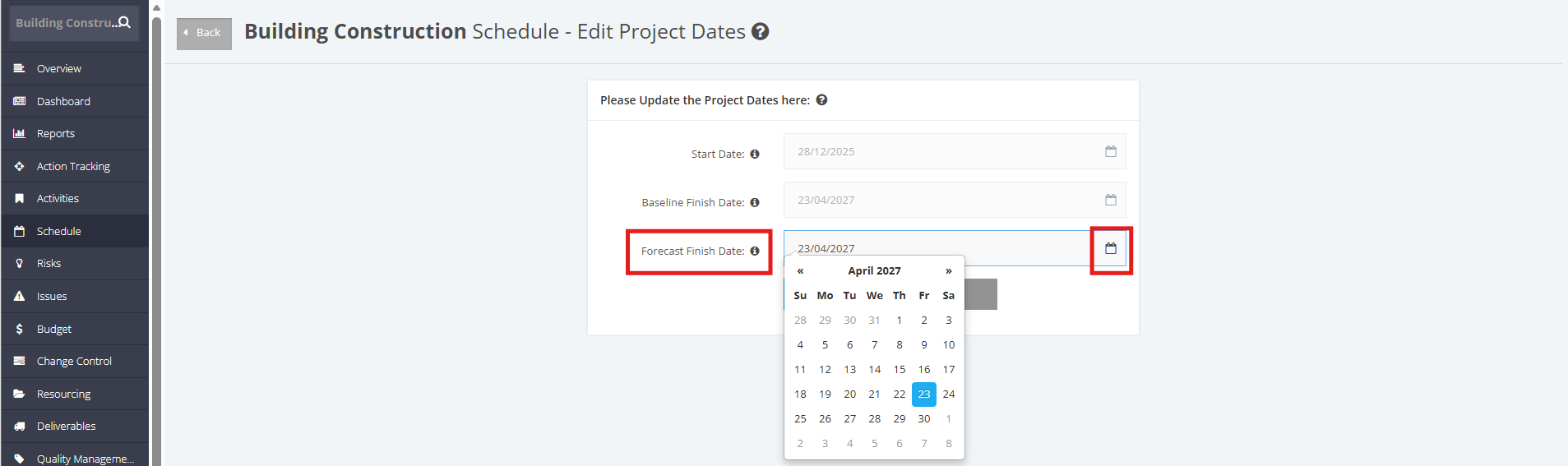
The Schedule module will also warn if the project has Tasks scheduled to complete after the Project End Date.
Click the link to update the end date, and it should redirect to the Edit Project Dates page.